Why you need an AI AUP
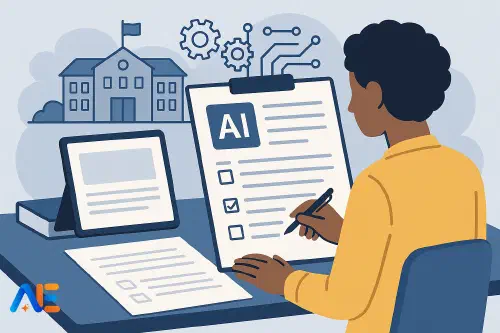
AI is already shaping how pupils research, write, revise and even chat with homework “helpers”. Staff are experimenting with AI for planning, marking and communication. Many schools, however, still rely on general ICT policies that never mention AI at all.
Without a clear AI Acceptable Use Policy (AUP), you risk inconsistent decisions, confused staff, and pupils learning their AI habits from social media rather than from you. You also leave yourself exposed on safeguarding, data protection and academic integrity when things go wrong.
A well‑designed AI AUP does not try to ban or bless every tool. Instead, it sets out principles, roles and boundaries that help the whole community use AI safely, fairly and creatively. It should sit alongside your existing ICT, safeguarding, behaviour, assessment and data protection policies, not replace them.
If you are still mapping out your broader AI strategy, you might find it helpful to pair this guide with a start‑of‑year AI readiness check so policy and practice grow together.
Principles first
Before you start drafting clauses, agree the principles that will shape every decision. For most schools, four pillars work well:
First, safeguarding and wellbeing. AI use must never compromise pupil safety or mental health. That includes exposure to harmful content, risky online contact, or tools that encourage unhealthy comparison or perfectionism.
Second, data protection and privacy. Any AI use must respect legal duties around personal data, including pupil work, staff information and parent details. This is especially important where tools store prompts or train on user data.
Third, academic integrity. AI can support learning, but it must not undermine honest effort or make assessment meaningless. Your policy should align with how you are designing AI‑resilient assessments.
Finally, equity and inclusion. Access to AI tools, and the benefits they bring, should not depend on a pupil’s family income, home devices or language background. Policy can help level the playing field rather than widen gaps.
Keep these principles visible in staff training and pupil versions of the policy. They make it easier to adapt as specific tools and laws change.
Scope and roles
A strong AI AUP is explicit about who it covers, where it applies and how it connects to existing policies.
Most schools will want the policy to apply to all staff, pupils, volunteers, governors and contractors when they use AI on school devices, networks or accounts, or when representing the school. You may also want to cover certain uses of personal devices, for example when accessing school systems from home.
Clarify how the AI AUP links to your existing ICT, mobile device, behaviour, safeguarding, assessment and data protection policies. In many cases, AI clauses will refer back to those rather than repeat them.
Finally, define roles. For instance, a senior leader responsible for AI strategy, a data protection lead, and named staff responsible for approving new tools. This avoids “everyone thought someone else was checking that”.
Key decisions before drafting
Before you open a fresh document, agree a few key positions:
Decide whether pupils may use AI tools for learning at school, at home, or both – and under what supervision. Consider different rules for different age groups.
Decide whether staff may sign up for AI tools using school email addresses, and who can approve paid tools or upload pupil data.
Agree your stance on generative AI in assessed work. Will you allow limited use for drafting or feedback, with disclosure? Will some assessments be explicitly AI‑free?
Clarify how you will handle copyright, especially around AI‑generated images, music and text. You may wish to reference your broader approach to copyright and AI in schools.
With those anchors in place, you are ready to adapt the template sections below.
Template 1: Purpose and scope
You can copy, paste and adapt this wording to fit your context.
1. Purpose
This AI Acceptable Use Policy sets out how artificial intelligence (AI) tools may be used by staff, pupils and others connected with the school. Its purpose is to:
- support safe, ethical and effective use of AI to enhance teaching and learning
- protect pupils, staff and the wider community from harm
- uphold academic integrity and professional standards
- ensure compliance with data protection, safeguarding and other legal duties.
2. Scope
This policy applies to all staff, pupils, governors, volunteers, contractors and visitors who use AI tools:
- on school‑owned devices or networks
- using school accounts or email addresses
- when acting on behalf of the school, including off‑site and at home.
This policy should be read alongside the school’s ICT, safeguarding, behaviour, assessment and data protection policies.
3. Definitions
For the purposes of this policy, ‘AI tools’ include any software or service that uses artificial intelligence to generate, analyse or personalise content, such as text, images, audio, video, code or data.”
4. Approved tools
The school maintains a list of AI tools approved for use by staff and pupils. This list is reviewed regularly and published on the staff intranet / learning platform.
Staff must not introduce new AI tools for pupil use without written approval from [role title].
5. Access levels
AI tools may be used by:
- Staff: for teaching, planning, communication and administration, as set out in Section 10.
- Pupils: for learning activities as directed by staff and in line with Section 8.
Different age groups may have different access levels and supervision requirements.
6. Procurement
When considering new AI tools, the school will assess:
- educational value and alignment with the curriculum
- data protection and security
- safeguarding and age appropriateness
- accessibility and impact on equity.
No AI tool may be purchased or integrated with school systems without approval from [role title].”
Discover the power of Automated Education by joining out community of educators who are reclaiming their time whilst enriching their classrooms. With our intuitive platform, you can automate administrative tasks, personalise student learning, and engage with your class like never before.
Don’t let administrative tasks overshadow your passion for teaching. Sign up today and transform your educational environment with Automated Education.
🎓 Register for FREE!
Template 3: Data protection and security
7. Personal data
Staff must not enter personal data about pupils, parents, carers or colleagues into AI tools unless:
- the tool has been approved for this purpose, and
- appropriate data protection measures and agreements are in place.
Pupil work may only be uploaded to AI tools where this has been approved and, where required, parental consent has been obtained.
8. Confidential information
Staff must never use AI tools to process sensitive information such as safeguarding concerns, medical details, HR issues or exam materials, unless explicitly authorised.
9. Accounts and security
Staff and pupils must:
- keep login details secure and not share accounts
- use strong, unique passwords for AI tools linked to school systems
- report any suspected data breach or misuse immediately to [role title].”
Template 4: Safeguarding and wellbeing
10. Age‑appropriate use
The school will ensure that AI tools used by pupils are age appropriate and that content filters are in place where available. Younger pupils will only use AI tools under direct staff supervision.
11. Harmful content and contacts
Pupils must report any content from AI tools that makes them feel unsafe, uncomfortable or upset. Staff will respond in line with the school’s safeguarding procedures.
Staff must not encourage pupils to use public AI chatbots that allow unmoderated contact with other users or third parties.
12. Wellbeing and workload
AI should be used in ways that support, not harm, pupil wellbeing and staff workload. Staff will be alert to signs that pupils are becoming overly dependent on AI or distressed by its outputs.”
For broader cultural work around AI understanding, you may also wish to build in elements from your approach to AI literacy in schools.
Template 5: Academic integrity and assessment
13. Use in learning
Pupils may use approved AI tools to support learning, for example to:
- generate ideas or questions
- obtain explanations at an appropriate level
- receive feedback on drafts.
Teachers will make clear when and how AI may be used for each task.
14. Use in assessed work
Unless explicitly allowed by the teacher, pupils must not use AI tools to generate content that they present as their own in assessed work.
Where AI use is permitted, pupils must:
- follow the teacher’s instructions on acceptable use
- acknowledge any significant AI assistance, for example in a brief note or reflection.
15. Misuse and plagiarism
Using AI to produce work and submitting it as one’s own without permission or acknowledgement will be treated as academic misconduct, in line with the school’s assessment and behaviour policies.”
Template 6: Staff use for planning and admin
16. Professional judgement
Staff may use approved AI tools to support lesson planning, resource creation, communication and administration. AI outputs must always be reviewed and adapted using professional judgement.
17. Communication
Staff must not use AI tools to send automated or AI‑generated messages to pupils, parents or carers without checking for accuracy, tone and suitability.
18. Sensitive content
Staff must not use AI tools to draft or store sensitive communications, such as safeguarding reports or formal HR correspondence, unless the tool has been approved for this purpose.”
Template 7: Communicating with parents and partners
19. Information for parents and carers
The school will provide clear information to parents and carers about how AI is used to support teaching, learning and school operations, including:
- examples of typical classroom use
- how pupil data is protected
- how AI use is monitored and reviewed.
Where required, the school will seek consent for specific uses of AI tools that involve pupil data.
20. External partners
Any external tutors, clubs or providers using school systems must comply with this AI AUP. Contracts and agreements will reflect these expectations.”
Template 8: Monitoring and responding to misuse
21. Monitoring
The school may monitor the use of AI tools on school devices and networks in line with its ICT and safeguarding policies. Monitoring is used to keep pupils safe and support appropriate use.
22. Responding to concerns
Concerns about AI use, including potential academic misconduct, data breaches or safeguarding issues, will be investigated in line with existing school procedures.
23. Breaches of this policy
Breaches of this policy may result in:
- loss of access to AI tools or devices
- behaviour or disciplinary procedures for pupils
- disciplinary procedures for staff, in line with HR policies.”
Adapting for different contexts
No template fits every school exactly. Primary settings may want simpler language, tighter restrictions on public tools, and more emphasis on teacher‑mediated use. Secondary and post‑16 settings may allow more independent use but need stronger clauses on academic integrity and exam preparation.
International schools will need to align with local data protection and child protection laws, and with the expectations of awarding bodies. Where pupils use multiple languages, consider how AI tools handle translation and whether this affects fairness.
Specialist provisions and alternative settings may place greater emphasis on accessibility, communication support and therapeutic use, while still managing risks around dependency and inappropriate content.
Keeping your policy alive
An AI AUP is not a one‑off document. Build in a review cycle, for example annually or whenever there are major changes in AI tools, curriculum requirements or legislation.
Make training part of the policy. New staff should receive an introduction to AI expectations; pupils should revisit key messages each year, ideally through interactive activities rather than a dry assembly.
Importantly, create channels for pupil voice. Pupil feedback on what is working, what feels unfair, and where they see risks can help you keep the policy realistic and respected rather than ignored.
Checklist: from draft to approval
As you move from draft to governing body approval, work through this simple checklist:
- Principles agreed and clearly stated
- Roles and responsibilities defined
- Links to existing policies mapped and cross‑referenced
- Age‑specific expectations clarified
- Staff and pupil versions prepared (with accessible language)
- Data protection lead and safeguarding lead consulted
- Legal or compliance advice sought where necessary
- Governing body or board briefed and given time to review
- Plan in place for launch, training and annual review.
Once approved, treat your AI AUP as a living guide rather than a locked document. As AI evolves, your policy should help your school stay safe, fair and forward‑looking, not stuck in last year’s tools.
Happy policy-making!
The Automated Education Team