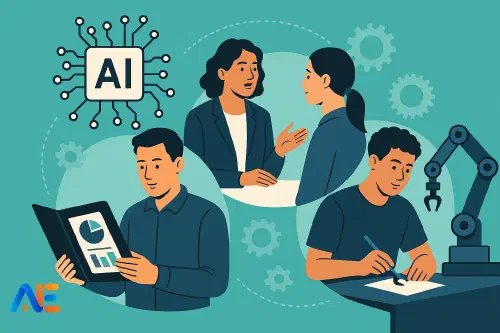
Why ‘AI‑Proof’ is the Wrong Goal
Trying to make assessments completely “AI‑proof” usually leads to one of two unhelpful extremes: constant surveillance or endless in‑class handwritten tests. Neither supports deep learning, and both are exhausting to manage.
A more realistic and educationally sound goal is AI‑resilient assessment. These are tasks where:
- AI can be used, but cannot do all the thinking for the student
- learning is evidenced through process, performance and dialogue, not just polished text
- you can spot when a student’s work does not match their demonstrated understanding
This aligns with a broader shift many schools are already making towards authentic, performance‑based assessment. If you are exploring AI ethics and classroom norms, you might also find it helpful to read about how students actually cheat with AI and why using AI is not always the same as cheating.
Principles of AI‑Resilient Design
Before we dive into portfolios, orals and practicals, it helps to anchor your assessment design in a few core principles:
- Prioritise thinking over product. Assess reasoning, decision‑making and reflection, not only the final essay or report.
- Make process visible. Build in checkpoints, drafts, logs and mini‑conferences so you see learning unfold over time.
- Triangulate evidence. Combine at least two forms of evidence (e.g. written + oral, artefact + reflection) for key outcomes.
- Specify permitted AI use. Make explicit what kinds of AI support are allowed, required or banned for each task.
- Assess personal connection. Ask students to link work to their own choices, experiences, data or context, which AI cannot fully fabricate convincingly over time.
With these principles in mind, you can adapt existing units without tearing everything up.
Portfolios: Layered Evidence Over Time
Portfolios are naturally AI‑resilient because they capture growth, iteration and reflection, not just a single polished submission.
A ready‑to‑copy portfolio brief
You can paste and adapt this into your next unit outline:
Task: Learning Portfolio – “My Journey in [Topic]”
Over six weeks, you will build a portfolio that documents your learning about [topic]. Your portfolio must include:
- Three work samples showing different stages of learning (e.g. early attempt, improved draft, final piece).
- Process evidence for at least two samples (e.g. planning notes, feedback received, AI prompts used, revisions).
- A 600–800 word reflective commentary explaining what you learned, how your thinking changed, and how you used any tools (including AI) along the way.
Your portfolio will be assessed on subject understanding, improvement over time, and quality of reflection.
AI usage rules for portfolios
Keep the rules short and explicit:
- You may use AI for: idea generation, outlining, language polishing, and feedback suggestions.
- You must record AI use: keep screenshots or copied prompts and responses for any AI‑generated help.
- You may not submit AI‑generated work as if it were entirely your own. Any AI‑produced text or images must be clearly labelled.
You can add a short in‑class check at the end: a five‑minute conversation where students talk through one portfolio piece and their AI use. This quickly exposes mismatches between the work and their understanding.
Oral Assessments: Dialogues and Vivas
Oral tasks are not about catching students out; they are about verifying ownership of ideas and deepening learning through dialogue. They pair well with written work that may have involved AI.
A ready‑to‑copy oral task brief
Task: Viva‑Style Understanding Check
After submitting your [essay/report/project], you will complete a 7–10 minute oral conversation about your work.
You will:
- summarise your main argument or findings in 2–3 minutes
- answer follow‑up questions about your reasoning, evidence choices and key concepts
- explain how you used any tools (including AI) in preparing your work
The conversation will be audio‑recorded and assessed on clarity of explanation, conceptual understanding and ability to justify your decisions.
AI usage rules for oral tasks
Here, AI is less of a threat and more a potential support:
- Students may use AI to generate practice questions or rehearse explanations.
- They may not read from AI‑generated scripts during the assessment.
- They should be ready to describe, in their own words, any AI assistance used.
If you are worried about students scripting everything with AI, include a few unseen questions that require them to apply ideas to a new example or scenario.
Practical assessments, whether in science labs, arts, vocational subjects or project‑based learning, are already rich in AI‑resilient features: hands‑on performance, decision‑making in real time and observation.
A ready‑to‑copy practical task brief
Task: Practical Investigation and Logbook
In pairs, you will design and carry out a [science / design / fieldwork] investigation on [question].
You will submit:
- a logbook documenting planning, data collection and changes to your method
- a final product or presentation of your findings
- a personal reflection (400–600 words) on what you contributed and what you would do differently next time
Your teacher will also observe parts of your practical work and note your skills and participation.
AI usage rules for practical tasks
- AI may be used to: suggest possible methods, help plan data presentation, and draft sections of the final report.
- AI must not be used to fabricate data or observations. All data must be genuinely collected by your group.
- Any AI‑generated text or graphs must be clearly labelled, and decisions based on them must be explained in your own words.
In many subjects, a short in‑class demonstration or performance component further anchors the work in observable skills.
Discover the power of Automated Education by joining out community of educators who are reclaiming their time whilst enriching their classrooms. With our intuitive platform, you can automate administrative tasks, personalise student learning, and engage with your class like never before.
Don’t let administrative tasks overshadow your passion for teaching. Sign up today and transform your educational environment with Automated Education.
🎓 Register for FREE!
Designing Clear AI Rules by Task Type
Students often break rules they do not understand. It helps to use a simple three‑column table for each assessment in your course handbook:
- Allowed (e.g. grammar checking, idea generation)
- Required to document (e.g. prompts, AI‑generated outlines)
- Not allowed (e.g. submitting unedited AI essays)
You can also show students how you will respond if you suspect over‑reliance on AI. Rather than relying solely on tools that try to detect AI‑generated content, build in a standard practice: a short follow‑up oral or written check where the student must explain key parts of their work.
Sample Rubrics and Checklists
Below are simple rubric criteria you can adapt tomorrow. Keep your existing grade levels; just tweak descriptors.
Portfolio rubric snapshot
- Understanding of content – demonstrates accurate use of key concepts across pieces
- Growth over time – clear evidence of improvement between early and later work
- Reflection quality – explains thinking, choices, mistakes and tool use with honesty and insight
- Use of tools (including AI) – tools support learning; AI use is transparent and appropriately limited
Oral assessment checklist
During a viva or conference, listen for whether students:
- explain concepts without reading
- can give a fresh example not in their written work
- describe how they arrived at a conclusion
- can identify one strength and one limitation of any AI assistance they used
Practical task rubric snapshot
- Planning and method – method is appropriate and justified
- Execution and skills – works safely, efficiently and collaboratively
- Analysis and evaluation – interprets data, acknowledges limitations
- Integrity of evidence – data and observations are authentic; AI use is limited to planning and presentation
You can embed these criteria directly into your existing rubrics with minimal disruption.
Implementing Across a Unit
You do not need to redesign everything at once. Choose one unit this term and:
- Turn the main assignment into a portfolio with at least two checkpoints.
- Add a short viva after the final submission for a sample of students, or all students if feasible.
- Build a practical or performance element where students must demonstrate a key skill live.
Across the unit, make AI use part of normal reflection: ask students weekly how they used AI, what helped, and what confused them. This builds metacognition and reduces secrecy.
For quick formative checks, you might also explore tools that generate low‑stakes quizzes, such as those described in our AI quiz generator guide, and then pair them with short oral follow‑ups.
Communicating with Students and Families
Transparency is essential. When you introduce new assessment designs:
- Explain that AI exists and will not disappear; your role is to help students use it ethically and intelligently.
- Emphasise that assessments now focus more on process, understanding and performance, not just a perfect essay.
- Share the AI rules and rubrics in student‑friendly language, with examples of acceptable and unacceptable use.
With families, frame changes as a way to protect the value of students’ achievements and to prepare them for workplaces where AI is normal but critical thinking is still crucial.
Quick Start: 10 Tweaks for This Week
To get moving without a major rewrite, you could:
- Add a five‑minute viva after your next essay.
- Ask for a one‑page process log alongside any major assignment.
- Require students to paste AI prompts and responses in an appendix.
- Turn your end‑of‑topic test into a mini‑portfolio of three short tasks.
- Add a practical demonstration to an existing project.
- Introduce a simple AI usage table (Allowed / Document / Not Allowed) for one task.
- Add a reflection question: “How did AI change your thinking on this task?”
- Replace one homework essay with an in‑class oral explanation recorded on a device.
- Build a peer‑review step where students give feedback on each other’s drafts.
- Trial a small group conference instead of written feedback for one class.
Each tweak nudges your assessment towards AI‑resilience, without abandoning your current curriculum.
Happy assessing!
The Automated Education Team