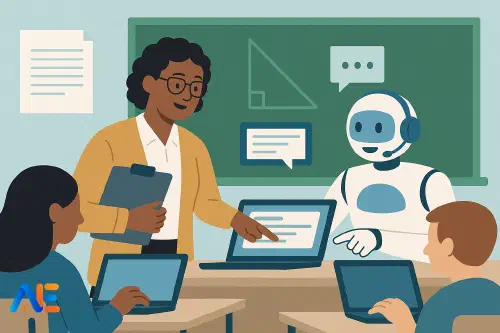
From replacement myth to co‑pilot reality
The loudest stories about AI in education still swing between extremes: robots replacing teachers or magical tools solving every problem. In most classrooms, neither version feels real. What does feel real is the daily pressure on teachers’ time and attention, and the sense that new tools risk adding complexity rather than removing it.
The co‑pilot model offers a more grounded way forward. Instead of imagining AI as a substitute teacher or a separate planning gadget, you treat it as a quiet assistant that sits alongside you throughout the day. It helps with pattern‑spotting, drafting, adapting and organising, while you stay firmly in charge of relationships, judgement and values.
This is not about using every shiny feature. It is about designing a handful of simple, repeatable routines that reduce cognitive load and free you for the parts of teaching only humans can do. If you are still building your own AI confidence, you might find it helpful to pair this article with a broader view of AI literacy in schools.
What stays human
Before we talk about co‑pilots, it helps to name the non‑negotiables. These are the aspects of teaching that AI can inform but should never own.
Human judgement is central whenever values, ethics or context matter. Deciding how to respond to a distressed pupil, choosing when to slow down a lesson, or judging whether a sarcastic comment was playful or hurtful all require nuanced understanding of people, history and culture.
Relationships and trust sit at the heart of learning. AI cannot build a shared joke with a class, notice the micro‑expression that signals a pupil is lost, or hold a silence that encourages a shy pupil to speak. Pupils learn through feeling seen, heard and safe; that is human work.
Professional responsibility also remains human. You are accountable for safeguarding, assessment decisions and curriculum intent. AI can suggest questions, draft explanations or highlight possible misconceptions, but you decide what is appropriate, fair and aligned with your pupils’ needs.
Keeping these boundaries in mind makes it much easier to decide where AI fits: it can help you think, but it cannot care; it can draft, but it cannot own the decision.
A day with an AI co‑pilot
Let us walk through a typical school day in three phases and see where a co‑pilot can sit alongside you.
Before lessons
Early morning is often a scramble: final tweaks to slides, printing resources, checking who is absent, and perhaps dealing with an unexpected cover lesson. Here, AI can work as a rapid drafting and adaptation assistant.
You might paste yesterday’s exit tickets into your AI tool and ask: “Summarise the three most common misconceptions and suggest five quick retrieval questions.” You still choose which questions to use, but you are not starting from a blank page.
For a science lesson, you could paste your learning objective and say: “Generate three simple analogies to explain diffusion to 13‑year‑olds, with one everyday example.” You then review, adjust the language to fit your class, and discard anything inaccurate or clumsy.
If you are teaching multiple ability levels, AI can help differentiate quickly. Give it a core text or problem set and ask for a simplified version, a challenge extension or a scaffolded worksheet. You remain responsible for checking difficulty, cultural references and alignment with your curriculum.
This is also a good time to use AI as a planning shortcut. Many teachers now rely on co‑pilots to generate initial lesson skeletons, then refine them using their own expertise. If you want to sharpen that skill, you might explore some time‑saving lesson planning approaches.
During lessons
The most powerful shift happens when AI becomes part of the live flow of teaching, not just the preparation. The key is to keep the device in service of the room, not the other way round.
Imagine you are midway through a history lesson and realise your class is stuck on a particular concept. While pupils work on a short task, you quickly ask your co‑pilot: “Offer two alternative explanations of ‘appeasement’ using simple language and examples suitable for 14‑year‑olds.” You skim the suggestions, choose the best one, tweak a phrase, and then re‑explain to the class in your own voice.
In a language lesson, you might use AI to generate extra practice sentences on the fly, tailored to the vocabulary your pupils are struggling with. In mathematics, you could ask for a fresh problem that uses the same underlying structure but a different context, helping pupils generalise.
AI can also support formative assessment. While pupils complete a short quiz, you paste anonymised responses into your co‑pilot and ask for patterns: “What are the top two misconceptions in these answers?” You then decide how to address them: a mini‑whiteboard check, a quick model, or a peer explanation.
Crucially, during lessons, AI should stay in the background. You are the one watching faces, responding to mood and deciding when to pivot. The co‑pilot simply feeds you options and insights faster than you could generate alone.
After lessons
Once the bell has gone, AI can help you close the loop on learning without swallowing your evening.
Marking is a sensitive area, and policies vary, but AI can often assist with first‑draft feedback. You might paste a pupil’s work (with names removed if required) and ask: “Suggest strengths and two improvement targets using this success criteria.” You then edit for tone, accuracy and appropriateness before sharing. The final judgement is yours.
For longer pieces of work, AI can help you design whole‑class feedback. By analysing a sample of scripts, it can highlight common errors, strong phrases worth sharing, or misconceptions to revisit next lesson. You can then build a short feedback slide or mini‑task in minutes.
Reflection is another powerful after‑lesson use. You could feed in your lesson plan and your quick notes, then ask: “Help me summarise what worked, what did not, and one change for next time.” This can be especially helpful for early‑career teachers or anyone trying a new approach.
Discover the power of Automated Education by joining out community of educators who are reclaiming their time whilst enriching their classrooms. With our intuitive platform, you can automate administrative tasks, personalise student learning, and engage with your class like never before.
Don’t let administrative tasks overshadow your passion for teaching. Sign up today and transform your educational environment with Automated Education.
🎓 Register for FREE!
Designing simple co‑pilot routines
To avoid tool overload, it helps to design two or three standard co‑pilot routines for each phase of the day. These routines should be easy enough to use on a busy Tuesday, not just on a training day.
Before lessons, you might routinely ask AI to generate retrieval questions from yesterday’s learning, or to adapt a text to three reading levels. During lessons, you might use it for “alternative explanations on demand” or for quickly generating extra practice examples. After lessons, you might have a standard prompt for whole‑class feedback from a set of anonymised responses.
The key is consistency. Using the same prompt structures each time reduces cognitive load and improves the quality of AI output. If you want to refine your prompting, you could explore some top prompt tips for educators and adapt them to your own context.
Over time, these routines become habits. You no longer wonder whether to use AI; you know exactly where it fits and where it does not.
Practical safeguards
A co‑pilot model only works if it strengthens, rather than undermines, professional standards. That means building some simple safeguards into your routines.
Data protection comes first. Avoid feeding identifiable pupil data into general‑purpose AI tools unless your organisation has clear agreements in place. Where possible, anonymise work, remove names and avoid sensitive personal details.
Bias and fairness need attention too. AI models are trained on large datasets that may embed cultural, gender or socio‑economic biases. When using AI to generate examples, scenarios or texts, actively scan for stereotypes or skewed perspectives. Adjust or discard as needed, and consider using this as a teaching moment for older pupils.
Professional judgement remains the final gate. Treat AI suggestions as drafts, not decisions. If something feels off, you are right to question it. If a generated example nudges your lesson in an unhelpful direction, you simply do not use it.
Quick wins by subject
Getting started does not require a complete overhaul. In under an hour, you can set up a couple of co‑pilot routines tailored to your subject.
An English teacher might create a standard prompt to generate comprehension questions at three levels for any text, plus a routine for drafting success criteria and sample feedback comments. A mathematics teacher could design prompts for generating varied practice problems, real‑world contexts for the same skill, and model solutions for their own checking.
In science, AI can help produce alternative explanations, analogies and quick quizzes aligned with key vocabulary. In humanities, it can draft contrasting viewpoints, debate prompts and source‑analysis questions. For arts and practical subjects, AI might suggest project briefs, peer‑feedback sentence stems or reflection questions.
If you are preparing for a new term, it may help to combine this with a broader AI readiness checklist so that your co‑pilot routines sit comfortably within wider department plans.
Working with colleagues
The co‑pilot model works best when it is not a solo experiment. Sharing simple routines with colleagues can reduce duplication and build collective confidence.
You might agree, as a department, on two or three approved use cases, such as generating practice questions, drafting model answers or supporting whole‑class feedback. You can then build a shared bank of prompts and examples, alongside clear notes on what must remain human.
Leaders can support by setting guardrails rather than bans or free‑for‑alls. Clear expectations about data, marking and curriculum alignment help teachers experiment safely. Joint reflection – in department meetings or professional learning communities – can surface both the benefits and the pitfalls.
Reflect, refine, repeat
Human + AI practice is not a one‑off decision; it is an ongoing professional habit. As tools evolve and your confidence grows, your co‑pilot routines will change too.
Build in small moments of reflection. After a week, ask yourself: “Where did AI genuinely save me time or improve learning? Where did it distract or complicate things?” Adjust your routines accordingly. Invite pupil feedback as well: how do they experience AI‑supported activities, and do they feel their relationship with you remains central?
Above all, keep the purpose clear. The co‑pilot model is not about using AI because it is new, but about protecting the core of teaching – human connection, judgement and care – by sharing some of the cognitive and administrative load.
Used thoughtfully, AI becomes less of a threat and more of a quiet colleague: always available, never tired, and firmly under your direction.
Happy co-piloting!
The Automated Education Team