Why AI search matters now
Students are already turning to AI tools for homework help, explanations and quick summaries. With OpenAI’s new SearchGPT, those AI answers are becoming tightly connected to the live web, blurring the line between a chatbot and a search engine.
For research projects, this can be both brilliant and risky. Brilliant, because you can scan complex topics quickly, get plain‑language explanations and discover sources you might otherwise miss. Risky, because it becomes easier to accept a polished answer without checking whether it is accurate, biased or allowed under your school’s academic honesty rules.
This guide offers a practical, student‑facing playbook: how to use SearchGPT alongside Google (or any traditional search engine) at each stage of a research task, while staying critical, ethical and within school policy. Teachers may also find it a helpful companion to broader discussions of AI literacy in schools and assessment design.
What SearchGPT is
SearchGPT is OpenAI’s AI‑powered search experience. Instead of giving you a list of links, it:
- reads information from across the web in real time
- uses a large language model (similar to GPT‑4‑class tools such as GPT‑4o) to summarise and explain
- shows some of the sources it used to build its answer.
You can chat with it, refine your question, paste in assignment briefs, and ask follow‑up questions in natural language. It feels more like talking to a knowledgeable tutor than typing keywords into a search box.
Google (and other search engines) still focus on lists of web pages. They are excellent at helping you find original sources, statistics, academic articles and news, but they do not usually explain the content in student‑friendly language unless you click through and read.
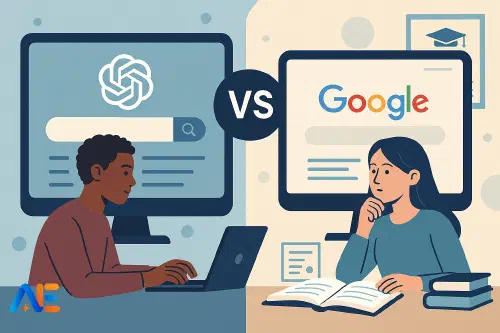
In short, SearchGPT is a “research assistant”, while Google is a “source finder”. You will usually need both.
Strengths and limits at a glance
In simple terms:
- SearchGPT is strong at: overviews, plain‑language explanations, comparing viewpoints, generating question ideas, and helping you understand sources you already have.
- Google is strong at: finding primary sources, academic papers, up‑to‑date news, official statistics, and specific documents (PDFs, reports, policy papers).
Both have limitations:
- SearchGPT can still make mistakes, gloss over disagreements between experts, or miss key sources behind paywalls.
- Google can overwhelm you with results, rank pages by popularity rather than quality, and surface misleading or biased sites.
Your job as a student researcher is to combine them, then apply your own judgement.
A research workflow: when to use which
Imagine you have been set this question:
“To what extent is fast fashion environmentally sustainable?”
Here is a step‑by‑step workflow you can adapt for almost any research task.
1. Clarify the task (SearchGPT first)
Start by pasting your assignment brief into SearchGPT and asking:
“Explain this assignment in simple terms. What are the key words and ideas I need to understand?”
You can also ask:
“List 5–7 sub‑questions I could research for this assignment on fast fashion and sustainability.”
Use these answers to clarify the scope of your project. Do not copy any suggested wording directly into your work; treat it as a planning conversation.
2. Get a background overview (SearchGPT, then Google)
Ask SearchGPT:
“Give me a neutral, student‑level overview of how fast fashion affects the environment. Include key concepts and 3–5 major debates.”
Read the answer carefully, then immediately switch to Google to check:
- Do the key issues SearchGPT mentioned appear in reputable sources (major newspapers, recognised NGOs, academic sites)?
- Are there any big topics Google highlights that SearchGPT did not mention?
Refine your understanding by clicking several different sources, not just the top result.
3. Build a reading list (Google first, SearchGPT to help)
Next, use Google to find specific, citable sources:
fast fashion environmental impact site:.org
“fast fashion” environmental report PDF
“fast fashion” sustainability academic article
Look for:
- NGO or intergovernmental reports
- academic papers or summaries
- reputable news features or explainers.
Then go back to SearchGPT and paste in a link or a paragraph from one of these sources:
“Summarise the key arguments in this article for a 16‑year‑old student. What evidence does it use?”
This helps you understand dense texts more quickly, but you should still skim the original yourself.
4. Deepen your analysis (SearchGPT and Google together)
As your understanding grows, ask more focused questions in SearchGPT, such as:
“Compare two different perspectives on fast fashion’s environmental impact: one from a fashion industry group and one from an environmental NGO.”
Then use Google to find and read the original statements or reports from those groups. Check whether SearchGPT’s summary is fair and balanced.
This back‑and‑forth between tools encourages critical thinking instead of passive acceptance.
Discover the power of Automated Education by joining out community of educators who are reclaiming their time whilst enriching their classrooms. With our intuitive platform, you can automate administrative tasks, personalise student learning, and engage with your class like never before.
Don’t let administrative tasks overshadow your passion for teaching. Sign up today and transform your educational environment with Automated Education.
🎓 Register for FREE!
5. Drafting your own argument (SearchGPT for thinking, not writing)
At this stage, school policies usually draw a clear line: AI can help you think, but should not write your assignment for you.
Use SearchGPT to:
- test your understanding: “Have I missed any major counter‑arguments?”
- clarify reasoning: “Is this a logical chain of reasoning? Where are the weak points?”
But write your paragraphs yourself, in your own voice. If you are unsure where your school stands, ask a teacher and review any AI guidance you have been given. For more on protecting academic integrity, you might explore ideas from AI‑resilient assessment design.
6. Final bibliography and checks (Google, then SearchGPT as helper)
Use Google (or your library databases) to gather full citation details: authors, titles, dates, publishers, URLs. Then you can ask SearchGPT:
“Here are my sources with basic details. Format them in Harvard style. Highlight anything that looks incomplete.”
Always cross‑check with your school’s preferred style guide or a trusted citation generator. Treat AI’s suggestions as a draft, not the final word.
Designing effective queries
Both tools respond best to clear, specific prompts.
For SearchGPT, think in full questions:
- “Explain three main environmental impacts of fast fashion, with simple examples suitable for a 15‑year‑old.”
- “What are the main criticisms of fast fashion from labour rights organisations?”
For Google, think in targeted keywords:
- fast fashion “carbon footprint” report
- “fast fashion” labour rights violations statistics
- “extended essay” fast fashion case study
If you get vague results, narrow your query by adding a date range, region, or type of source (report, case study, interview).
Checking reliability and bias
Neither SearchGPT nor Google automatically guarantees truth. Build the habit of checking:
- Source quality: Who wrote this? Are they experts, campaigners, companies, anonymous bloggers?
- Evidence: Are there data, studies or references, or just opinions?
- Bias and perspective: What might the author or organisation gain from this viewpoint?
With SearchGPT, you can directly ask:
“What are the limitations or possible biases in the sources you used for this answer?”
Then verify by opening the linked sources in your browser and reading them yourself. With Google, compare several results from different types of organisation before deciding what to trust.
Citations, plagiarism and staying within policy
AI tools make it dangerously easy to blur the line between help and cheating. A few simple rules will keep you on the right side of most school policies:
- Do not paste AI‑generated sentences or paragraphs directly into your work and present them as your own.
- If AI helped shape your ideas, acknowledge this briefly if your teacher or school asks for transparency.
- Always cite the original sources you read (articles, books, reports), not the AI tool that summarised them.
You usually do not need to reference SearchGPT itself unless your school explicitly asks you to. Instead, treat it like a study partner that helps you understand sources you then cite properly.
For a broader perspective on why “AI is not cheating” when used well, you might like our piece on productive, ethical AI use.
Subject‑specific examples
In science, you might use SearchGPT to unpack a complex paper on climate models, then use Google Scholar or your library search to locate the original study and related experiments.
In humanities, SearchGPT can outline key interpretations of a historical event or novel, but you should still read primary texts and historians’ arguments found via Google or your library catalogue.
For extended projects or coursework, SearchGPT is helpful for:
- mapping the debate around your topic
- suggesting possible research questions
- clarifying methods and terminology.
However, your final work must be based on sources you have read, evaluated and cited yourself.
Study tips for teachers to share
Teachers can support students by:
- modelling live how to move between SearchGPT, Google and original sources
- setting clear boundaries on acceptable AI use for each task
- encouraging students to screenshot or log their AI queries as part of a research diary.
Short classroom discussions about “what counts as your own work” help students feel confident rather than anxious about using new tools.
Quick classroom handout
To create a one‑page student guide, you might include:
- a simple flowchart: “Start with SearchGPT to understand → use Google to find sources → return to SearchGPT to clarify → write in your own words → use Google/library to finalise citations”
- example queries for both tools at each stage
- a short list of “Always” (always check sources, always read originals) and “Never” (never paste AI text directly, never skip citations).
Printed or shared digitally, this gives students a concrete reminder that AI‑powered research is not about shortcuts, but about thinking more clearly and working more efficiently.
Happy researching!
The Automated Education Team