Why human skills matter
In an AI‑rich school day, pupils can generate essays, images, quizzes and code in seconds. The danger is not that they will stop working, but that they will stop thinking. If AI quietly takes over the heavy lifting, students risk becoming efficient prompt‑typists rather than thoughtful, empathetic humans.
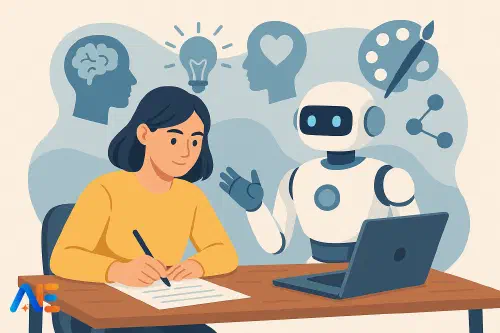
Future‑proofing students means treating AI as an amplifier of human strengths, not a replacement for them. Critical thinking, creativity and empathy become the non‑negotiables that give pupils value in a world where many routine tasks are automated. These capacities also underpin safe, informed AI use, as explored in more depth in AI literacy in schools.
The key shift for schools is timetable‑level: designing lessons where AI does some work, but never the most important work. Instead of occasional “character” assemblies, we need daily routines where pupils practise distinctly human judgement, imagination and care, side by side with machines.
Three core capacities
Critical thinking
AI systems can produce fluent answers, but they cannot truly “understand”. They predict what words are likely, not what is accurate, fair or wise. Critical thinking is therefore the first line of defence and the first line of value: questioning sources, weighing evidence, spotting bias and deciding when not to trust the machine.
Creativity
AI can remix existing patterns in surprising ways, but it does not have lived experience, personal taste or long‑term goals. Human creativity is grounded in meaning: deciding which ideas matter, which risks are worth taking and which stories are worth telling. This kind of creative agency cannot be outsourced.
Empathy
AI can simulate warmth in its tone, but it does not feel. Classrooms, however, are communities of real people with complex lives. Empathy helps pupils interpret how others might experience a decision, a joke, a piece of feedback or an online post. As AI mediates more of their communication, this capacity becomes even more essential.
These three capacities also sit at the heart of teaching with a human‑AI “co‑pilot” mindset, as discussed in the human–AI co‑pilot model.
Design principle 1: Make AI visible, fallible and debatable
When AI tools work silently in the background, pupils tend to over‑trust them. To build human skills, AI needs to be brought out into the open as something to question, test and even argue with.
This means deliberately showing pupils when AI gets things wrong, when it contradicts itself, and when different systems disagree. For instance, you might ask two tools the same question, display both answers, and have students identify strengths and weaknesses. The goal is to normalise the idea that AI outputs are starting points for human thinking, not finished products.
Classroom talk should frame AI as “the draft generator”, “the idea starter” or “the pattern spotter”, while humans are “the sense‑makers”, “the editors” and “the decision‑makers”. This language helps students internalise their role.
Design principle 2: Separate AI tasks from human-only time
Timetable‑level design matters. If pupils have AI open for an entire lesson, it will quietly fill every gap. Instead, alternate clear “AI time” and “human‑only time”.
For example, you might structure a 60‑minute lesson as:
- 10 minutes human‑only: recall, discussion, planning questions
- 15 minutes AI time: research, examples, drafts
- 20 minutes human‑only: critique, annotate, improve, decide
- 15 minutes AI‑optional: extension, experimentation, reflection
Signposting these phases aloud helps pupils notice the shift: “We’re closing AI now. This part needs your judgement.” Over time, they learn that the most valuable thinking happens when the tool is off.
Critical thinking routines with AI
Primary
In primary classrooms, focus on questioning and comparison rather than long text. For instance, during a topic on habitats, you might ask an AI tool for “three facts about rainforests suitable for 8‑year‑olds”. Display the answer and invite pupils to spot anything that seems odd or unclear.
You can then model checking against a book or trusted website, highlighting differences. Pupils might use coloured pencils to underline “facts we can check”, “words we don’t understand” and “things we think might be wrong”. The AI becomes a stimulus for curiosity and checking, not a source of truth.
Lower secondary
With older pupils, build routines around “challenge the chatbot”. In a history lesson, students could ask an AI for a short explanation of a cause of a conflict. Their human‑only task is to annotate the response with questions: What evidence is missing? Whose perspective is absent? What words feel biased?
Groups can then rewrite one paragraph to be more balanced, explicitly labelling their changes. This makes critical thinking visible on the page.
You can deepen this by connecting to when AI helps vs harms learning, asking students to decide whether AI helped their understanding in this case, and why.
Upper secondary
At upper secondary level, critical thinking with AI can mirror academic practice. In science, for example, pupils might ask an AI to summarise a research abstract. Their human‑only task is to identify at least three limitations in the summary: oversimplification, missing caveats, or misrepresented data.
In literature, students can request an AI interpretation of a poem, then write a short response titled “What this analysis misses”. They must support their critique with quotations, modelling the difference between confident opinion and evidence‑based argument.
Creativity routines with AI
Primary
For younger pupils, use AI as a playful prompt machine, but keep the storytelling human. In a writing lesson, you might ask an AI for five unusual story starters involving a familiar character. Pupils choose one, close the device, and continue the story in their own words.
Later, you can show an AI‑generated continuation of the same starter and invite pupils to compare: Which version feels more exciting? Which has more interesting characters? This reinforces that their ideas matter and can be stronger than the machine’s.
Lower secondary
In art or design, pupils can use AI image generators to explore variations on a theme, such as “sustainable cities at night”. Their human‑only task is to select, combine and adapt elements into a hand‑drawn or digital collage, explaining their design choices in a brief reflection.
In languages, students might ask an AI for three alternative ways to express a sentence. They then choose the version that best fits a particular tone or audience, justifying their choice. Creativity here lies in intention, not just variation.
Upper secondary
For older students, creative work with AI can mirror professional workflows. In media studies, pupils might use AI to generate several possible headlines for an article. Their human‑only task is to craft a final headline and standfirst that are accurate, ethical and engaging, explaining why they rejected certain AI suggestions.
In music or drama, AI can generate chord progressions, prompts or character outlines, while pupils compose, script and perform the final piece. Assessment should focus on their creative decisions, not on the AI’s output.
Discover the power of Automated Education by joining out community of educators who are reclaiming their time whilst enriching their classrooms. With our intuitive platform, you can automate administrative tasks, personalise student learning, and engage with your class like never before.
Don’t let administrative tasks overshadow your passion for teaching. Sign up today and transform your educational environment with Automated Education.
🎓 Register for FREE!
Empathy and social learning routines
AI can support empathy if used to surface perspectives, not to fake feelings. In social studies, pupils might ask an AI to list possible viewpoints on a community issue, such as building a new sports centre. Their human‑only task is to role‑play a town hall meeting, using the AI list as a starting point but adding nuance from their own experiences.
In pastoral time or wellbeing lessons, you might present an AI‑generated response to a scenario involving online bullying. Students work in groups to critique the advice: What feels helpful? What feels cold or unrealistic? How would a real friend respond differently? This makes the limits of machine empathy explicit.
You can also use AI to anonymise and rephrase real pupil concerns into composite scenarios, protecting privacy while enabling rich discussion about feelings, boundaries and support.
Embedding in curriculum, assessment and reporting
To move beyond one‑off activities, schools need to weave these routines into schemes of work. When planning a unit, identify where AI could:
- Generate low‑stakes material (examples, variations, drafts)
- Provide contrasting explanations or perspectives
- Be deliberately wrong or incomplete for pupils to improve
Then specify the human‑only tasks: critique, selection, justification, ethical judgement, collaboration. These become the assessed outcomes.
Assessment design should reflect this approach. For key pieces of work, consider “AI‑resilient” tasks that value process, reflection and oral defence, as outlined in more detail in designing AI‑resilient assessments. Reports to parents can then highlight growth in critical thinking, creativity and empathy, not just grades.
Safeguarding, workload and equity
Safeguarding remains fundamental. Clear policies should cover age‑appropriate tools, data privacy, and how pupils should respond if an AI produces harmful content. Teach students to report uncomfortable outputs just as they would report concerning behaviour from a person.
Used well, AI can reduce teacher workload by generating starting points, exemplars and varied practice questions. However, the human‑only phases must be protected, or time saved quickly vanishes in unplanned experimentation. Agreeing shared routines across departments helps maintain balance.
Equity is crucial. If some pupils have powerful AI access at home and others do not, design core learning so that essential thinking happens in class, on shared devices or teacher‑mediated tools. Homework should avoid assuming access to specific AI systems unless the school can provide it.
A six-week starter plan
To make this practical, schools can pilot a six‑week programme across one year group or key stage.
Week 1: Awareness and norms
Introduce pupils to the idea of AI as a fallible assistant. Model “AI time” and “human‑only time” in a few lessons across subjects.
Week 2: Critical thinking focus
Each participating class runs one AI‑based critique activity, appropriate to age. Teachers share examples of pupil annotations and questions.
Week 3: Creativity focus
Classes use AI for idea generation but complete final products without it. Display paired examples showing human vs AI continuations.
Week 4: Empathy and online behaviour
Tutor or pastoral sessions explore AI‑mediated communication and empathy scenarios. Collect pupil reflections on what feels “authentically human”.
Week 5: Curriculum integration
Departments adapt one upcoming unit to include explicit AI/human‑only phases. Leaders gather quick teacher feedback on workload and impact.
Week 6: Review and refine
Students and staff reflect: When did AI genuinely help? When did it get in the way? Use insights to update policies, schemes of work and training priorities.
Over time, this approach shifts AI from being a novelty or a threat to being a structured part of learning, where machines handle the predictable and pupils handle the meaningful.
Happy future-proofing!
The Automated Education Team