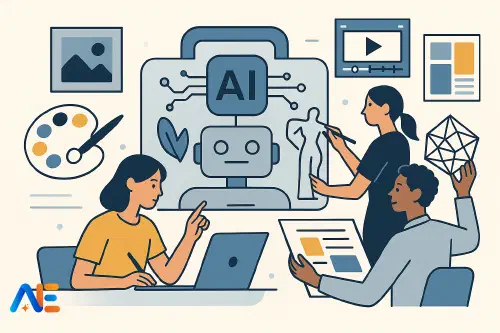
Why AI belongs in the studio
AI is already woven into the worlds your students hope to enter: concept art, fashion visualisation, motion graphics, UX, product design and advertising. Studios are using multimodal AI tools to generate references, test compositions, prototype interfaces and explore materials long before anyone picks up a brush or opens a 3D package.
If art and design education ignores this shift, students risk graduating with portfolios that feel disconnected from contemporary practice. Yet if we adopt AI uncritically, students can become passive prompt‑writers rather than makers and thinkers. The goal is not to outsource creativity, but to expand students’ capacity to explore, iterate and reflect.
Framed well, AI becomes another studio material: powerful, sometimes unruly, but always subordinate to human judgement. It can help students who struggle with drawing visualise ideas, support neurodiverse learners with alternative ways to think through concepts, and give advanced students industrially relevant workflows. It also offers rich opportunities to discuss what makes human creativity distinctive, echoing wider conversations about future‑proofing students’ skills.
Principles for human‑centred creative AI
Before introducing tools, it helps to establish shared principles with students. These can be displayed in the studio and revisited throughout projects.
First, AI should extend, not replace, students’ own making. Every AI‑assisted output must be accompanied by visible human work: thumbnails, material experiments, annotations, re‑draws or edits. You might formalise this as a simple rule of thumb: “No AI artefact without at least one page of your own response.”
Second, process matters more than polish. A slick AI image with no evidence of thinking is weaker than a rough, hand‑drawn exploration that shows genuine decision‑making. This aligns well with process‑focused assessment approaches and with broader discussions about when AI helps vs harms learning.
Third, students must be transparent. They should label AI‑assisted work, record prompts, and explain how they evaluated and adapted outputs. This turns AI use into an object of reflection rather than something to hide.
Finally, human judgement remains the arbiter of quality. Students should practise critiquing AI outputs as they would a peer’s work: considering composition, tone, concept and audience, and deciding what to keep, discard or transform.
Planning AI‑supported projects
When planning schemes of work, it helps to map AI opportunities across the full design cycle rather than bolting a tool onto one lesson. A typical secondary or FE project might move through:
- Research and ideation
- Sketchbook development
- Prototyping and refinement
- Presentation, critique and reflection
AI can support each stage differently. During research, it might help students explore visual references and generate moodboards. In sketchbook work, it can suggest variations and alternative viewpoints. During prototyping, AI can assist with layout, simple motion or basic 3D forms. Finally, it can help students articulate intentions and evaluate outcomes, acting as a thinking partner rather than a grading assistant.
When you plan, decide explicitly which stages will be “AI‑enabled”, which remain “AI‑free”, and how students will document the boundary. This makes your guardrails visible and prevents tools creeping into tasks where they would undermine core skills.
Research & ideation
At the research stage, multimodal AI can widen students’ visual vocabulary. For a project on “Urban Futures”, for example, students might begin by gathering photographic references from their local area. They could then use an image‑generation tool to explore variations: the same street in a different decade, season or cultural context.
You might ask students to create AI‑assisted moodboards that respond to a written brief, then annotate them critically. Which images feel clichéd or derivative? Which unexpected combinations suggest new directions? Students can compare AI‑generated references with work by real artists and designers, discussing influence, style and originality.
Concept development can also be supported through text‑to‑image tools. A student exploring wearable technology might iterate through several visual interpretations of a concept, then choose one to develop by hand in their sketchbook. The important step is always the return to physical or manual work: tracing, redrawing, collaging or painting over AI outputs to make them their own.
Sketchbook workflows
AI can sit inside sketchbook practice as a tool for variation, not substitution. Instead of replacing drawing, it becomes a way to ask “what if?” at speed.
Students might photograph a rough clay maquette or cardboard model and feed it into an image tool to explore different materials, lighting or colour schemes. They can print these variations small, glue them into their books and respond with overlays, notes and refinements. This keeps the sketchbook as the central creative space, with AI as a peripheral input.
For students who find drawing daunting, AI can provide scaffolding. A learner could start with a simple line sketch, refine it with AI, then trace back over the output to understand form and proportion. Over time, you can reduce the AI support as confidence grows, much like using and then withdrawing drawing aids.
Encourage students to treat prompts as design decisions, not magic spells. They should tweak wording, compare outputs and reflect on how language shapes visuals. This develops critical literacy alongside visual thinking, echoing the kind of human‑AI partnership described in the human–AI co‑pilot model.
From 2D to 3D
Many art and design pathways now expect some familiarity with 3D and motion, but not every school or college has specialist software or staff. Lightweight AI tools can bridge this gap.
Students can take a 2D character or product sketch and use AI‑assisted 3D tools to generate a simple model or turntable animation. The goal is not to create production‑ready assets, but to help them understand form, volume and how their designs sit in space. They might then draw over screenshots of the model, refining details or exploring alternative views.
Layout and simple motion graphics are another fruitful area. For a branding project, students could use AI‑assisted design tools to generate multiple poster layouts or social media formats from their own assets. They can then choose one layout to recreate manually in a more controlled package, learning why certain compositions work better than others.
Short text‑to‑video tools can support storyboarding. Students sketch key frames by hand, then use AI to generate a rough animatic. This gives them a sense of timing and pacing before committing to more labour‑intensive processes like stop‑motion or hand‑drawn animation.
Discover the power of Automated Education by joining out community of educators who are reclaiming their time whilst enriching their classrooms. With our intuitive platform, you can automate administrative tasks, personalise student learning, and engage with your class like never before.
Don’t let administrative tasks overshadow your passion for teaching. Sign up today and transform your educational environment with Automated Education.
🎓 Register for FREE!
Critique, reflection and artist statements
Language‑based AI can be a useful thinking partner during critique and reflection, as long as students remain in charge of the final wording. You might ask students to paste an image of their work and a short description into a chat tool, then request questions rather than feedback. Prompts like “Ask me five questions that a gallery curator might ask about this piece” can help them think more deeply about intention and audience.
Students can draft artist statements themselves, then use AI to suggest alternative phrasings or to condense a long explanation into a concise exhibition label. They should compare versions, highlight phrases they like, and rewrite sections in their own voice. The focus is on developing reflective language, not outsourcing writing.
During peer critique, AI can help structure discussion. Students might co‑create a set of critique prompts with an AI assistant, tailored to your project brief, then use these in small‑group conversations. This can be particularly supportive for quieter students or those working in a second language.
Assessment, originality and process
Assessment in AI‑rich projects should foreground process, decision‑making and originality of thought rather than the novelty of outputs. Criteria might include the quality of research, the sophistication of iterations, the clarity of reflection and the appropriateness of AI use.
To support this, require students to document their AI interactions. A simple “AI log” page in the sketchbook can record prompts, screenshots of intermediate outputs and brief notes on what they kept or rejected and why. This makes their thinking visible and helps you distinguish between thoughtful use and superficial prompting.
Originality becomes less about whether a specific image is technically unique and more about the coherence of the overall project: how the student has combined influences, made choices and developed a personal voice. This aligns with broader conversations about the kinds of human skills AI cannot easily replace, as explored in future‑proofing students’ skills.
Safeguarding, copyright and ethics
Creative AI raises particular ethical questions around data, style and appropriation. These are not side issues; they are rich curriculum content.
At minimum, students should understand that many AI models are trained on large image datasets that may include artists’ work without consent. This is an opportunity to revisit existing learning about appropriation, remix culture and fair use, and to connect it with current debates, drawing on guidance such as in copyright and AI in schools.
Set clear studio rules: no generating images of real people without consent; no using AI to mimic a living artist’s style for assessed work; and always attributing tools used. Discuss bias in training data and how it can manifest in stereotypical or exclusionary imagery. Encourage students to challenge and correct these outputs, turning AI into a lens for critical media literacy.
Safeguarding procedures should extend to AI platforms: use age‑appropriate tools, ensure accounts are set up safely, and remind students not to upload personal information or identifiable images without permission.
Getting started
You do not need to redesign your entire curriculum to begin. Start with one or two low‑prep activities that sit naturally within existing projects.
In a drawing unit, you might add a single lesson where students generate AI variations of their own sketches and then respond to them in their books. In a photography course, you could introduce AI only at the contact‑sheet stage, using it to propose alternative crops or sequences that students then recreate manually.
For staff CPD, try a short, hands‑on workshop where colleagues bring a current project brief and explore how AI could support just one stage of the process. Share examples of student work where AI has clearly enhanced, not diminished, creative thinking. Encourage honest discussion of worries as well as possibilities, linking back to whole‑school AI approaches such as the human–AI co‑pilot model.
Above all, keep the studio at the centre. Brushes, sketchbooks, cameras, clay and code can all coexist. AI is simply the newest addition to the trolley of materials – powerful, yes, but only truly valuable when guided by thoughtful, critical, human makers.
Happy creating!
The Automated Education Team