Why HKK needs a workflow
HKK under LGR22 is practical, theoretical, and critical at the same time. Pupils are expected to cook and manage resources, but also to explain why choices matter: nutrition, sustainability, consumer decisions, and safety. In reality, lessons are time-boxed, equipment is shared, and documentation is often the first thing to slip when you are supervising knives and hot ovens.
A small, repeatable AI workflow can help you keep the “thinking trail” without turning HKK into a screen-based subject. The aim is not to let AI decide what pupils cook. It is to use AI to make reasoning visible: planning, conversions, evaluation prompts, and a written riskbedömning that stands up in quality assurance. If you are building routines across subjects, the idea aligns well with inspection-ready micro-tools described in LGR22 Section 2 throughlines, where documentation is treated as a learning artefact, not admin.
Think of the pipeline as four small tools you can run in sequence, each producing one artefact you can save. This mirrors the “gap-to-tool map” approach in LGR22 three years on: identify the pinch points, then standardise the smallest workflow that fixes them.
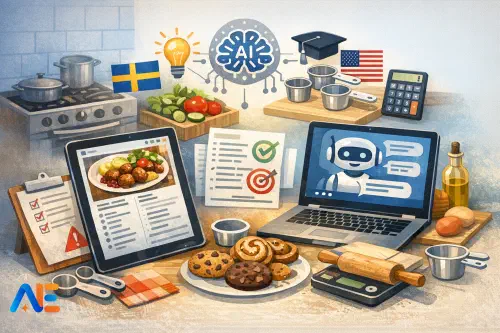
Tool 1 is a Recipe Creator that generates a time-aware plan, but it must not “invent” allergens away or ignore kitchen constraints. Tool 2 is a Recipe Unit Changer that converts and rounds into sv-SE conventions, but it must not change the recipe logic without flagging it. Tool 3 is a Lesson Planner that maps the practical lesson to E/C/A outcomes and evidence opportunities, but it must not claim to “know” your local assessment policy. Tool 4 is a Risk Assessment writer that drafts a riskbedömning, but it must not replace your professional judgement or supervision plan.
Used well, the pipeline produces a neat pack: a recipe brief, a converted recipe, a lesson plan, and a riskbedömning—plus pupil-facing critical questions.
Workflow rules
To keep this inspection-friendly, set three rules and stick to them.
First, time-boxing: you are not “chatting” with AI; you are running a timed routine. For example, 6 minutes to generate options, 4 minutes to select and edit, 5 minutes to check conversions, 7 minutes to draft outcomes, and 8 minutes to finalise the riskbedömning. This prevents over-reliance and keeps the teacher in control.
Second, teacher-in-the-loop checks: you verify anything that affects safety, allergens, temperatures, and equipment use. You also verify that the task is realistic for your room, your pupils, and your lesson length.
Third, documentation you keep: save the final artefacts and a short “decision note” that records what you changed and why (two or three sentences is enough). If you want a wider policy frame, it helps to align with a yearly refresh routine like the AI acceptable use policy checklist, even if your school’s documents have different names.
The Recipe Creator is where you set constraints so the recipe fits the lesson, not the other way around. Your prompt should include time, equipment limits, dietary restrictions, and portion count. Ask for a “kitchen timeline” and a “pupil job split” so it becomes teachable.
Worked example: Swedish cuisine
Scenario: 80 minutes total, nut-free, includes potatis, 24 portions, Swedish cuisine, typical school kitchen equipment (hob, oven, mixing bowls, chopping boards), and you need a dish that supports reasoning about nutrition and sustainability.
Use a prompt like this in your tool:
“Create a Swedish cuisine main dish suitable for HKK. Total lesson cooking time: 80 minutes, including clean-up. Nut-free. Must include potatis. Serves 24 pupil portions. Assume 6 groups; each makes 4 portions. Provide: ingredients per group, method, a minute-by-minute timeline, and one optional sustainable substitution. Include allergens clearly.”
A workable output you can steer towards is ugnspannbiff with rostad potatis and lingon yoghurt (or a similar Swedish-style tray-bake meal). What matters is that the tool produces group-sized quantities and a timeline you can supervise. You then edit for your context: if your ovens run hot, you adjust; if pupils struggle with handling raw mince, you switch to a vegetarian protein and document the decision.
Unit conversion is where AI can genuinely save time, but it must be consistent with Swedish classroom norms. In sv-SE recipes, pupils often meet dl, ml, g, and °C. Conversions should be rounded sensibly for school cooking, not laboratory precision.
Ask the tool to follow conventions: cups → dl, tbsp → ml, tsp → ml, and Fahrenheit → Celsius. Also ask it to flag any conversion that might affect texture (for example, flour packed by volume).
Worked conversion: US cookies
You have an American chocolate chip cookie recipe you want pupils to compare with Swedish measurements as a consumer education task.
US original (example):
2 1/4 cups all-purpose flour; 1 tsp baking soda; 1 tsp salt; 1 cup butter; 3/4 cup sugar; 3/4 cup brown sugar; 2 eggs; 2 tsp vanilla; 2 cups chocolate chips. Oven 375°F.
Ask the Unit Changer:
“Convert this recipe to Swedish measurements for a school kitchen. Use dl/ml/g and °C. Provide sensible rounding for pupils. Include a note where weight is safer than volume. Convert oven temperature from °F to °C.”
A typical Swedish-friendly conversion you can present is:
Swedish measures (pupil-friendly):
ca 3,5 dl vetemjöl (or preferably 280 g); 5 ml bikarbonat; 5 ml salt; 225 g smör; ca 1,75 dl strösocker; ca 1,75 dl farinsocker (packed); 2 ägg; 10 ml vaniljextrakt; ca 3,5 dl chokladknappar (or 340 g). Oven: 190 °C.
You then add a brief teaching note: “If we measure flour by dl, results vary; weighing supports fairness and repeatability.”
A quick verification checklist keeps this safe and teachable. Keep it short, and run it every time: check oven temperature conversion; check that teaspoon/tablespoon values are consistent; check that butter and flour are not wildly off typical weights; and check that rounding does not halve or double salt or raising agents.
Now turn the recipe into an LGR22-aligned lesson structure with clear evidence opportunities. The key is to write outcomes in three tiers (E/C/A) that are observable in a practical room. Avoid vague phrasing like “understands nutrition”; instead, specify what pupils will say, write, or do.
Your Lesson Planner prompt should request: lesson phases, teacher checkpoints, pupil roles, and evidence capture. Evidence can be a photo of mise en place, a labelled workflow sheet, a short reflection paragraph, or a peer feedback note—anything you can store without creating a marking mountain.
Discover the power of Automated Education by joining out community of educators who are reclaiming their time whilst enriching their classrooms. With our intuitive platform, you can automate administrative tasks, personalise student learning, and engage with your class like never before.
Don’t let administrative tasks overshadow your passion for teaching. Sign up today and transform your educational environment with Automated Education.
🎓 Register for FREE!
In the Swedish cuisine example, E-level evidence might be that pupils follow hygiene routines and can describe one reason for choosing a method (oven-roasting vs boiling). C-level evidence might include comparing two carbohydrate choices for potatis preparation and explaining impacts on satiety or waste. A-level evidence could be a well-argued evaluation that balances nutrition, cost, and sustainability, supported by a brief source check or label reading.
If you are training staff on these micro-routines, the structure maps neatly onto an INSET pattern like the three micro-routines workshop: plan, run, document; then refine the next lesson.
A written riskbedömning is not just a formality in HKK. It is a teaching tool for safe independence. AI can draft a clear table of hazards and controls, but you must tailor it to your room layout, pupil needs, and supervision ratios.
Ask for a riskbedömning that includes hazards, who is at risk, controls, required supervision, and what you will brief at the start. Make sure allergens are explicit, and include hygiene and cross-contamination controls. For the Swedish dish example, you would expect hazards around knives, hot trays, raw mince (if used), slips from spills, and allergens such as milk, egg, and gluten. Controls include colour-coded boards, handwashing moments, separate utensil rules, oven-glove checks, and a clear “hot zone” around ovens.
If you want a deeper routine for evaluating tool outputs before they reach pupils, a classroom-facing approach to safety and integrity is explored in Claude classroom evaluation, which translates well to any AI tool you use.
Critical analysis routines
HKK is a perfect home for critical AI literacy because food claims are everywhere. Build a short, repeatable routine pupils use to evaluate AI suggestions. When the tool claims a substitution is “healthier”, pupils should ask: healthier for whom, and by what measure? If it suggests swapping ingredients for sustainability, pupils should check seasonality, transport, and waste. If it offers nutrition numbers, pupils should compare them with a reliable label or a trusted database and note uncertainty.
Keep this practical: after cooking, pupils write a six-sentence evaluation that includes one claim, one piece of evidence, and one limitation. You can connect this to wider ethical discussion structures like the AI ethics classroom kit without turning HKK into a debate club.
Print-ready templates
To make this inspection-ready, create an “artefact pack” you can print or store as PDFs: the final recipe (group quantities), the unit conversion sheet (with rounding notes), the lesson plan (with E/C/A outcomes and evidence points), and the riskbedömning. Add your short decision note and, if relevant, a pupil reflection template.
For prompts, keep them consistent and short so any colleague can run the same workflow. For checklists, keep them focused on safety and accuracy: temperatures, allergens, equipment constraints, and whether the lesson still fits the time box. The goal is a dependable routine that reduces cognitive load, so you can spend your attention where it belongs—watching pupils cook, think, and learn.
May your next HKK lesson feel calmer, safer, and easier to evidence.
The Automated Education Team