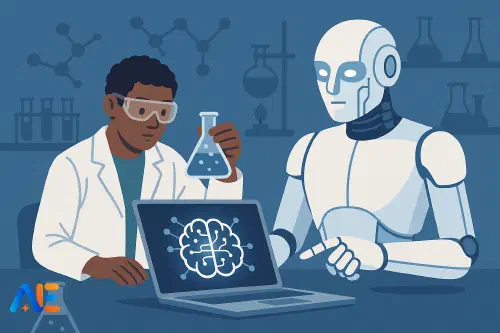
Why AI belongs in labs
Science labs are already full of tools that extend human capability: microscopes sharpen our vision, sensors extend our senses, and simulations let us test the impossible. AI is simply another tool in that line – one that can help students plan better experiments, spot patterns they might miss, and reflect more deeply on what their results actually mean.
This guide is deliberately lab‑first. It is not about replacing practical work with simulations, or letting AI write perfect lab reports. Instead, it focuses on weaving AI into what you already do: improving planning, tightening safety, supporting analysis and reflection, and helping diverse learners participate more fully. If you are familiar with the idea of a human–AI partnership from the co‑pilot model, think of this as its lab‑bench version.
We will assume access ranges from one teacher laptop and projector, to a few shared devices, to one‑to‑one. Every routine is designed to degrade gracefully: more devices mean more student autonomy, but the core pedagogy still works with minimal kit.
Ground rules: safety and integrity
Before students touch AI in the lab, you need three non‑negotiables: safety, academic integrity and data protection.
Start by making it explicit that AI never overrides lab rules. If the AI suggests heating a sealed container, ignoring fume cupboard guidance, or skipping PPE, the answer is always no. Build a simple mantra: “If it contradicts our lab rules, it’s wrong.” Then model this live: ask an AI tool a safety question, show students a flawed answer, and have them identify the problem.
For integrity, be clear where AI is allowed. For example, you might permit AI to help brainstorm variables, but not to generate raw data or full conclusions. Link this to your wider conversations about when AI helps and when it harms learning, drawing on ideas similar to those in this discussion of AI’s limits. Make your boundaries visible: a simple poster with “AI can help with…” and “AI must not be used for…” works well.
Finally, treat data protection seriously. Student names, photos, and identifiable health or demographic details should never be typed into public AI tools. Use anonymised or synthetic data where needed, and keep any real datasets on secure, institution‑approved systems.
Designing better experiments with AI
AI can be a powerful planning assistant, especially when students struggle to turn a vague idea into a testable, safe plan. The key is to keep the human in charge of decisions.
A simple planning routine for a GCSE or FE class might look like this:
- Students outline their investigation in their own words on paper: “We want to find out how light intensity affects the rate of photosynthesis in pondweed.”
- In pairs, they craft a planning prompt for the teacher to feed into an AI tool on the projector. For example: “Act as a school science technician. Suggest three safe, school‑lab‑friendly methods to investigate how light intensity affects the rate of photosynthesis in pondweed, including key variables and approximate timings.”
- The class reviews the AI’s suggestions, highlighting which ideas fit your equipment list, which are unsafe or impractical, and what variables or controls the AI missed.
- Students then adapt one method into their own full plan, in their notebooks or lab books, explicitly noting changes they made to the AI suggestion and why.
This approach keeps AI as a generator of options, not a source of truth. It also trains students in critical reading of procedures – a skill that transfers directly to exam questions and real research.
For more complex investigations, especially at FE level, AI can help students iterate experimental designs. You can ask it to “stress‑test” a plan by prompting: “Identify at least five sources of error or bias in this method and suggest practical improvements suitable for a college lab.”
AI‑supported data collection routines
In many labs, the bottleneck is not thinking but organisation: missing measurements, inconsistent units, illegible tables. AI can help you build better templates and checklists, even if students never log into an AI tool themselves.
One low‑device routine starts with you using AI during planning, not in front of students. You might ask: “Generate a clear, student‑friendly results table template for a titration practical with columns for trial number, initial burette reading, final reading, titre, and notes.” You then paste that template into your worksheet or slide deck, adjusting the language to match your students’ reading level.
During the practical, project a “live checklist” created with AI: steps for setting up apparatus, reminders about units, and prompts such as “Before you start: write today’s date and your group members’ initials on your results table.” These small nudges reduce avoidable errors without reducing cognitive challenge.
In a one‑to‑one or small‑group device setting, students can use AI as a data‑quality checker after the practical. They type in their anonymised table and prompt: “Check this results table for missing data, inconsistent units or obvious mistakes. Do not change any values. Just list possible issues.” Students then decide which issues to fix and how.
Analysing data without doing the thinking
The danger with AI in data analysis is that it can leap straight to perfect graphs and polished conclusions, bypassing students’ reasoning. The solution is to separate “mechanical help” from “interpretive thinking”.
A safe starting point is to let AI handle only the tedious formatting. For instance, you can paste a messy text table into an AI tool and ask it to “reformat this as a clean table with headings and consistent units, without changing any numbers”. Students then copy that cleaned table into a spreadsheet and create their own graphs.
When students are ready for support with interpretation, structure the prompts carefully. A useful pattern is three‑step:
- Students write their own description of the pattern: “As temperature increased, the rate of reaction increased until about 40°C, then decreased.”
- Only after that do they ask AI: “Here is my description of the pattern in my data. Identify one strength and one improvement, focusing on clarity and precision, not on changing my interpretation.”
- Students revise their description, noting in the margin which suggestion they accepted and why.
With older students, AI can help them explore alternative models or explanations. For example: “Suggest two different scientific explanations that could account for this pattern in the data, and list what extra evidence would support or refute each one.” This keeps the focus on scientific reasoning, not on “getting the right answer”.
Writing up: scaffolds, not shortcuts
Lab reports are where AI misuse is most tempting. To avoid AI‑written reports, make your rule simple: AI can help you plan and check, but not write full sections.
One effective routine is AI‑generated question scaffolds. You might ask AI to produce a set of probing questions for each section of a practical write‑up: “What was the independent variable?”, “Why did you choose that range?”, “How confident are you in your results, and why?” You then share these as a planning sheet. Students answer the questions in bullet form, then turn their own answers into paragraphs.
Another approach is to use AI for language support, especially for EAL learners. Students write a draft conclusion, then prompt: “Improve the grammar and clarity of this paragraph without adding new ideas or changing the science.” They compare versions, highlighting what changed and why. This builds language skills while keeping the scientific thinking theirs.
For a broader overview of using AI as a language scaffold across the curriculum, you might connect this with approaches discussed in AI as a teaching co‑pilot.
Discover the power of Automated Education by joining out community of educators who are reclaiming their time whilst enriching their classrooms. With our intuitive platform, you can automate administrative tasks, personalise student learning, and engage with your class like never before.
Don’t let administrative tasks overshadow your passion for teaching. Sign up today and transform your educational environment with Automated Education.
🎓 Register for FREE!
Building safety routines with AI
AI is also a powerful back‑room tool for teachers and technicians when building safety culture.
You can use it to draft risk assessment templates tailored to your context. For example: “Create a concise risk assessment template for secondary chemistry practicals involving dilute acids and alkalis, including columns for hazard, risk, control measures and residual risk.” You then adapt the template to match your institution’s policies.
Standard operating procedures (SOPs) for common practicals can also be AI‑assisted. Ask for step‑by‑step instructions written at an appropriate reading level, then layer on your own specific safety requirements and local equipment quirks. Over time, you build a bank of SOPs that technicians, new staff and supply teachers can use.
After any incident or near‑miss, AI can help structure reflection. You might anonymise the scenario and prompt: “List five reflective questions a science department could use when reviewing this lab incident, focusing on systems and training rather than blaming individuals.” Use these questions in your next department meeting to strengthen procedures.
Inclusion in mixed‑ability labs
Well‑designed AI routines can make practical science more inclusive for EAL, SEND and mixed‑ability groups.
For students with reading difficulties, you can use AI to generate differentiated instructions: a standard version, a simplified version with shorter sentences and added icons, and an extension version with more open‑ended prompts. You keep the core practical identical, but adjust the level of written support.
EAL learners can benefit from bilingual glossaries generated with AI for each topic, and from sentence stems for conclusions and evaluations. For example: “One possible source of error in our investigation was…”, “Our results partly support the hypothesis because…”. Students choose stems and complete them with their own ideas.
In low‑device settings, you can still harness AI indirectly. Prepare printed “AI‑assisted scaffolds” ahead of time: vocabulary lists, question banks, and differentiated checklists. These can be shared across classes and year groups, reducing teacher workload over time.
For classes doing fieldwork or outdoor investigations, similar principles apply and can be extended using ideas like those in AI‑supported fieldwork cycles.
Sample week: AI‑enhanced lab cycle
Here is a simple weekly pattern for a secondary or FE course with one practical:
Lesson 1 – Planning (no student devices needed)
Students draft investigation questions. As a class, you use AI on the projector to brainstorm possible methods and identify risks. Students adapt one method into their own plan and complete an AI‑generated planning checklist.
Lesson 2 – Practical (low‑device)
Students use printed AI‑designed tables and checklists. You project reminders and common pitfalls. If a few devices are available, one per group can run the “data‑quality check” routine after collecting results.
Lesson 3 – Analysis and write‑up
Students clean their data (with or without AI help), draw graphs, and write their own pattern descriptions. They then use AI for targeted feedback on clarity, not correctness. EAL learners use AI‑generated sentence stems and vocabulary support; more advanced students use AI to explore alternative explanations and limitations.
Over several weeks, students internalise these routines and need less AI support, not more.
Implementation checklist for departments
To embed this sustainably at department level, focus on four areas: training, tools, templates and policy.
Agree a shared stance on where AI is encouraged, restricted or banned in practical work. Provide short, practical training for staff on writing safe prompts, spotting AI‑generated work, and protecting student data. Choose a small number of approved tools, ideally those that support longer contexts and document handling, such as models with extended token windows described in overviews like this Gemini article.
Build and share a bank of AI‑assisted resources: planning checklists, results tables, differentiated instructions, risk assessment templates and SOPs. Encourage teachers to adapt and re‑share, rather than starting from scratch.
Finally, align your practice with whole‑school or college policies on AI, assessment and safeguarding. Make sure students and families understand not just what you are doing, but why: to make practical science safer, more rigorous and more inclusive – with human judgement always in charge.
Happy experimenting!
The Automated Education Team