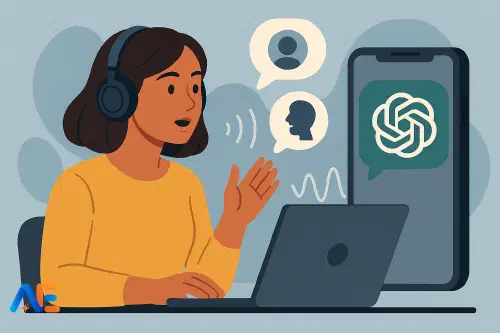
Why voice-first AI matters
For many language learners, the hardest skill to practise is speaking. They may have no one at home who speaks the target language, limited lesson time, or high anxiety about making mistakes in front of peers. Even when teachers organise pair work, some students stay quiet, rehearsing sentences in their heads rather than out loud.
Voice‑first AI tools change this equation. Instead of only typing to an AI, learners can speak and listen in real time, more closely mirroring real conversation. ChatGPT’s Advanced Voice Mode adds natural‑sounding speech, interruptions, turn‑taking and memory that make it feel less like dictating to a machine and more like talking to a patient tutor.
Used thoughtfully, this can extend your classroom into students’ homes. Learners gain extra speaking time, with no fear of “slowing down the class”, and you gain a flexible tool to support mixed‑ability groups. The aim is not to replace you or their human partners, but to fill the gaps where real interaction is missing.
If you are still weighing when AI genuinely helps rather than hinders, you might find this discussion of AI’s benefits and risks helpful.
What Voice Mode can – and can’t – do
ChatGPT’s Advanced Voice Mode can:
- Hold fairly natural spoken conversations in many major languages
- Adjust its level of formality, speed and vocabulary if you ask it to
- Provide examples, rephrase sentences and model better answers
- Give targeted pronunciation feedback when you request it
- Role‑play different characters and scenarios (waiter, immigration officer, friend, interviewer)
However, it cannot:
- Fully replace authentic human interaction, cultural nuance or real‑world messiness
- Accurately assess every aspect of pronunciation or accent, especially for less common languages
- Guarantee age‑appropriate or curriculum‑aligned content unless you set clear instructions
- Decide what is pedagogically appropriate for your learners – that remains your expertise
Framing it correctly for students is essential. Present Voice Mode as a training tool, like a language treadmill: excellent for building stamina and confidence, but not the same as running through a real city.
Designing low-anxiety routines
To turn Voice Mode into a low‑anxiety “AI conversation partner”, design routines that are predictable, time‑bounded and clearly scaffolded. Students should know what to say to the AI, what the AI will do, and how long the activity will last.
A simple routine structure works well:
- A clear role and level for the AI
- A time limit or number of turns
- A specific focus (fluency, vocabulary, repair moves, pronunciation)
- A short reflection or screenshot note to bring back to class
For example, you might ask learners to begin each session with this prompt:
“You are my patient language tutor. I am a lower‑intermediate learner. Please speak slowly and use simple sentences. Our goal is to practise everyday conversation for 10 minutes. If I pause or struggle, ask me an easier question or help me finish my sentence. Always stay kind and encouraging.”
Encourage students to save a favourite “starter prompt” in their notes app so they can paste or summarise it before speaking. Over time, they can tweak the prompt to adjust difficulty, length or focus.
For learners who see AI as “cheating”, it helps to explain how practice tools differ from answer‑giving tools. This connects well with a broader classroom conversation about when AI counts as support and when it becomes cheating.
Structured speaking drills
Once you have a general routine, you can design specific drill types. These keep practice purposeful rather than drifting into casual chat.
Fluency sprints
Ask the AI to run timed fluency drills:
“Let’s do three 3‑minute speaking sprints. Each sprint, you ask me quick questions about my day, hobbies or opinions. If I hesitate for more than five seconds, give me a starter phrase to help me continue. At the end, tell me one thing I did well and one thing to improve.”
Students can track how many questions they answer in each sprint, aiming to increase this over several weeks. This mirrors in‑class fluency tasks but with unlimited patience and repetition.
Turn‑taking and repair moves
Many learners struggle with interrupting politely, asking for clarification or repairing breakdowns. Voice Mode is ideal for rehearsing these “interactional” moves.
You might ask learners to say:
“Please have a normal conversation with me about weekend plans. Sometimes, pretend not to understand me or ask me to clarify. I will practise phrases like ‘Could you say that again, please?’ or ‘What do you mean by…?’. At the end, remind me of the useful phrases we used.”
You can pre‑teach a small set of repair phrases in class, then assign a Voice Mode conversation where students must use each phrase at least once.
Discover the power of Automated Education by joining out community of educators who are reclaiming their time whilst enriching their classrooms. With our intuitive platform, you can automate administrative tasks, personalise student learning, and engage with your class like never before.
Don’t let administrative tasks overshadow your passion for teaching. Sign up today and transform your educational environment with Automated Education.
🎓 Register for FREE!
Pronunciation, prosody and listening
Pronunciation work with AI needs careful framing. Emphasise intelligibility over “perfect” native‑like speech, and remind learners that accents are part of their identity.
Pronunciation feedback
A focused routine might look like this:
In class, choose 5–8 target words or sentences (e.g. minimal pairs, tricky consonant clusters, or sentence stress patterns).
For homework, ask students to say to ChatGPT:
“I want to practise pronouncing these sentences. Please listen, then tell me which words are hard to understand and model them slowly. Repeat this for each sentence:
- … 2) … 3) …”
Students repeat until the AI says their speech is clear. They can then record a final version on their phone and bring it to class.
Remind them that the AI may occasionally mishear, especially with background noise or weaker connections. This is a chance to practise repair moves: “Let me say that again more clearly.”
Prosody and listening
Voice Mode also supports rhythm, intonation and listening skills. Ask the AI to:
- Read a short dialogue twice: once at natural speed, once slowly with exaggerated stress and intonation
- Play “spot the difference” between two similar sentences, changing only stress or a key word
- Tell a short story and then ask comprehension questions orally
These activities complement vocabulary tools you may already be using. If you are exploring AI for word learning, you might enjoy our piece on using AI as a second‑language vocabulary tool.
Confidence and autonomy
The real power of an “always‑available speaking partner” lies in confidence building. Learners can rehearse before a presentation, practise travel scenarios before a trip, or simply warm up their speaking before class.
To avoid over‑reliance, set clear expectations:
- Use Voice Mode as a rehearsal space, then use the same language with humans
- Do not ask it to complete graded tasks for you
- Focus on practising what you already know, plus a small stretch beyond
A useful reflection routine after each session is the “3‑2‑1” note:
- 3 phrases I used that I want to keep
- 2 mistakes I noticed and corrected
- 1 thing I want to try next time
Students can keep these in a speaking journal or digital portfolio. They become evidence of progress and a basis for short in‑class discussions about strategies, linking nicely to broader conversations about when AI genuinely supports learning.
Safeguarding and practical guardrails
Before encouraging home use, establish clear guardrails with students and families. These will vary by context, but common points include:
- Age and supervision: Decide which age groups may use Voice Mode independently and which need adult oversight or shared devices.
- Time limits: Suggest short, focused sessions (e.g. 10–15 minutes) rather than long, unsupervised conversations.
- Content boundaries: Explain that students must keep topics school‑appropriate and never share personal addresses, phone numbers or passwords.
- Data and privacy: Clarify that AI tools process speech data; encourage use on school‑managed accounts or devices where possible, and follow your institution’s policies.
It can help to create a simple one‑page “AI Speaking Partner Agreement” for learners and parents to sign, outlining appropriate use, privacy expectations and who to contact with concerns.
If you work with multilingual or EAL/ESL learners, you may also want to consider how AI fits alongside human support. Our article on AI for EAL/ESL beyond simple translation explores this in more depth.
Sample lesson plans and tasks
To make this concrete, here are adaptable examples you can slot into your schemes of work.
Lesson: Everyday chat warm‑up (B1)
In class, teach or revise phrases for small talk: asking about weekend plans, reacting with interest, and changing topic politely. Model a short conversation with a volunteer.
For homework, learners use Voice Mode:
- Start with: “You are my friendly classmate. Let’s talk about our weekend plans for 10 minutes. Use informal language and ask follow‑up questions.”
- Students aim to keep the conversation going without long pauses.
- Afterwards, they write down three new phrases they heard and one question they want to ask a real classmate next lesson.
Next class, they repeat a similar conversation with a human partner, trying to reuse the phrases.
Homework: Pronunciation clinic (A2–B1)
After a lesson on past tense regular verbs, give students a list of 10 verbs with -ed endings.
Homework steps:
- Students tell ChatGPT: “Please help me practise the pronunciation of these past tense verbs. First, say each word and I will repeat. Then listen to me say the whole list and tell me which ones are unclear.”
- They repeat until the AI says all are understandable.
- They record themselves reading a short paragraph containing those verbs and submit the audio to you.
In the next lesson, you focus feedback on intelligibility and patterns, not perfection.
Independent practice: Exam speaking rehearsal (B2+)
For students preparing for oral exams or interviews:
- You provide typical question types and timing guidelines.
- Students instruct the AI: “Act as an examiner for a B2 speaking exam. Ask me questions one by one. After each answer, give me one suggestion to improve my answer.”
- After two or three practice runs at home, they choose one topic and perform it live in class, without AI support.
This bridges AI‑supported rehearsal and authentic assessment, making the exam feel less daunting.
Used with care, ChatGPT’s Advanced Voice Mode can become a powerful ally in your language classroom: a patient, always‑available speaking partner that extends practice beyond your walls while keeping you firmly in charge of pedagogy, safety and assessment.
Happy speaking!
The Automated Education Team