Why use AI (and limits)
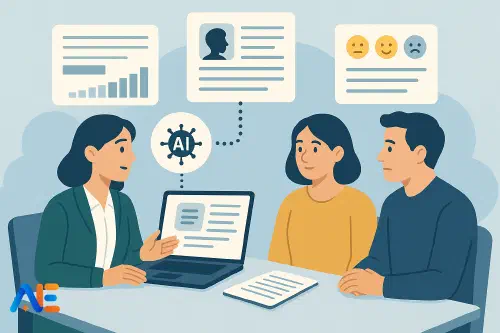
Parents’ evening is one of the most human parts of teaching: quick, intense conversations where you build trust, reassure anxious families and nudge students forward. AI cannot and should not replace your professional judgement, your knowledge of the child or the relationship you have with families.
What it can do is reduce the admin load so you arrive at each conversation better prepared. Instead of skimming your markbook two minutes before a meeting, you can have a concise, student-friendly summary and a short list of tailored talking points ready to glance at. That means more energy for listening, adapting and connecting.
Think of AI as a quiet assistant in the background. It can:
- Organise information you already have
- Suggest balanced phrasing and next steps
- Help you rehearse tricky conversations
- Capture actions and follow-up messages afterwards
But it must never decide grades, make high-stakes judgements, or override your professional sense of what is right for each student. The human–AI co‑pilot model is a helpful mindset here: you stay in the pilot’s seat.
Preparing your data safely
Before you paste anything into an AI tool, pause. Parents’ evening involves sensitive personal information, so your first step is to choose safe ways of working.
If your school provides an approved AI platform, use that and follow local guidance. If not, treat any external tool as if you were sending data via email to someone outside school. That means:
- No full names: use initials or pseudonyms where possible
- No contact details or unique IDs
- No highly sensitive information (e.g. safeguarding, medical, family circumstances)
A practical approach is to export or copy:
- Gradebook data for the term or year
- Short report comments or previous term summaries
- Behaviour and achievement notes
- Homework completion or engagement patterns
Then anonymise. Replace “Amira Khan” with “Student A” or “AK”. If you are working with a class list, you might keep a private key on paper or in a secure school file that maps “Student A” to the real name. The AI never needs the full identity to help you structure your thinking.
When you paste data into the AI, start with a clear instruction such as:
I am a teacher preparing for parents’ evening. I will refer to students only by initials. Do not invent data or make any high‑stakes recommendations. Your job is to help me summarise patterns and suggest balanced talking points that I will review and edit.
This sets expectations and reminds you that you remain the decision‑maker.
For more on managing heavy reporting workloads with AI, you might also find the report‑writing season survival guide helpful.
Generating clear, student-friendly summaries
Once your data is ready, your first product is a brief progress summary for each student. Aim for something you can read in 10–15 seconds before the family sits down.
A simple workflow:
Paste anonymised grades, key comments and any notes on effort or behaviour for one student.
Use a prompt like:
Using this data, draft a 3–4 sentence summary of Student A’s progress in student-friendly language.
Requirements:
• Start with one positive.
• Mention one key area of progress and one area that needs focus.
• Avoid jargon and grade codes – use plain language.
• Keep the tone calm, factual and encouraging.
Read the output critically. Adjust anything that does not fit your knowledge of the student.
For example, “Student A has made strong progress in algebra, especially solving equations. Their homework completion has been inconsistent, which is limiting their progress. In class, they contribute thoughtful answers when confident, but sometimes avoid starting tasks. Our next step is to build a regular homework routine and practise starting tasks quickly.”
You can then copy that summary into a simple “one‑pager” template or your usual notes format.
Balanced talking points for different scenarios
AI is particularly helpful for shaping the balance of a conversation. Parents may arrive worried, frustrated or rushed; having three or four clear talking points helps you stay focused.
Feed the AI the summary you just created and ask:
Turn this summary into 3–4 talking points for a 5‑minute parents’ evening conversation.
Create three versions:
- For a student doing very well overall
- For a student who is struggling academically
- For a student with good ability but inconsistent effort
Keep each point short, specific and balanced between strengths and next steps.
You might then adapt the version that best fits the student. Over time, you will build a bank of phrasing that feels natural in your voice.
You can also ask for phrasing tailored to different parent scenarios:
Provide three alternative ways to explain the same message:
• To a very anxious parent
• To a parent who believes their child is doing better than the data shows
• To a parent who is very critical of their child
Keep the language respectful, clear and focused on partnership.
You will not copy these word‑for‑word in the meeting, but they give you language to draw on, especially when tired.
Discover the power of Automated Education by joining out community of educators who are reclaiming their time whilst enriching their classrooms. With our intuitive platform, you can automate administrative tasks, personalise student learning, and engage with your class like never before.
Don’t let administrative tasks overshadow your passion for teaching. Sign up today and transform your educational environment with Automated Education.
🎓 Register for FREE!
Designing quick one-page profiles
The “evening‑in‑a‑box” works best when each student has a simple one‑page profile that you can scan at a glance. AI can help you generate and format these quickly.
For each student, ask:
Using the information above, create a one‑page profile for Student A with the following headings:
• Snapshot
• Strengths to celebrate
• Key challenges
• Agreed next steps (student)
• Agreed next steps (home)
• Agreed next steps (school)
Use bullet points under each heading. Keep it to one page of text.
You can print these, or keep them on a tablet or laptop if your school allows devices at parents’ evening. During the conversation, you can handwrite or type specific actions into the “next steps” sections.
After the evening, these profiles become a useful reference for reports, future meetings or communication home, connecting nicely with broader communication features for parents.
Rehearsing tricky conversations
Some conversations need extra care – perhaps around underachievement, behaviour, or home support. AI can act as a rehearsal partner so you feel more confident.
Provide a brief description, such as:
I need to prepare for a difficult parents’ evening conversation.
Student B is capable but has done little homework, and behaviour has been disruptive.
Their parent has previously been defensive.
Please:
• Suggest three ways to open the conversation that focus on partnership.
• Provide a short script that keeps the focus on behaviour and effort, not personality.
• Anticipate three possible parent responses and suggest calm, professional replies.
You can then skim these before the meeting, or even role‑play quickly with the AI taking the part of the parent. This can be especially helpful for early‑career teachers.
If families are curious or anxious about AI itself, you may also want to understand how to explain tools you use in plain language, as explored in explaining AI to parents.
Capturing actions and follow-up
The final piece of the workflow is capturing what was agreed and turning it into clear follow‑up.
During the evening, jot quick notes: “S: revise fractions weekly. H: check planner on Mondays. T: email extra practice sheets.” After the event, you can batch these through AI:
Here are brief notes from several parents’ evening conversations (anonymised).
For each student, turn the notes into:
• A one‑sentence summary of the main message from the meeting
• A short list of agreed actions for student, home and school
• A draft follow‑up email or message in plain, friendly language
Do not include any sensitive or speculative information.
You will still check and personalise each message, but the heavy lifting of structure and phrasing is done. This can transform the day after parents’ evening from overwhelming to manageable.
Safeguarding, privacy and policy
Throughout this workflow, safeguarding and privacy come first. A few principles to keep front of mind:
- Follow your school or district policy on AI and data; if unsure, ask before using external tools
- Avoid including anything you would not write in a professional email
- Never paste safeguarding details, diagnoses or sensitive family information into AI
- Keep your “real names key” secure and separate from any AI workspace
It is also worth being transparent if asked. You might say, “I use a school‑approved AI tool to help organise my notes, but all judgements and messages come from me, and we never share personal details beyond school systems.”
Quick-start templates and prompts
To get going, you might copy and adapt these core prompts:
Progress summary
I am a teacher preparing for parents’ evening. Using the anonymised data below, write a 3–4 sentence, student‑friendly summary of Student X’s progress.
Start with a strength, then describe one area of progress and one priority for improvement. Avoid jargon and remain calm, factual and encouraging.
Talking points
Turn this summary into 3–4 short talking points for a 5‑minute conversation with Student X’s family.
Balance positives with specific next steps. Keep each point to one sentence.
One‑page profile
Create a one‑page profile for Student X with these headings: Snapshot; Strengths to celebrate; Key challenges; Agreed next steps (student); Agreed next steps (home); Agreed next steps (school). Use concise bullet points.
Follow‑up actions
Using these brief notes from the meeting, draft:
• A one‑sentence summary of what we agreed
• A short list of actions for student, home and school
• A draft follow‑up message in friendly, professional language
Used thoughtfully, this “evening‑in‑a‑box” approach can make parents’ evening less about juggling papers and more about genuine partnership around each child’s learning.
Happy parent partnering!
The Automated Education Team