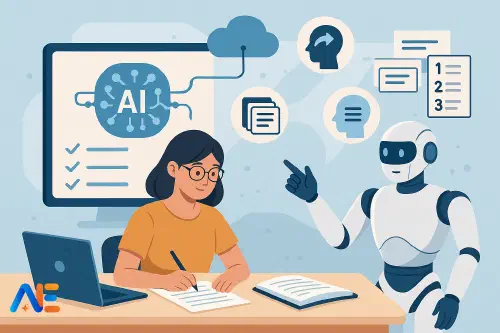
Why AI needs proven revision science
AI tools can now generate infinite practice questions, summaries and model answers in seconds. That power is tempting, especially when exam season looms. Yet more content does not automatically mean better learning. Without a clear link to what we know from cognitive science, AI risks becoming a distraction that feels productive but produces shallow understanding.
Decades of research highlight a handful of revision strategies that consistently improve long-term retention: spaced repetition, retrieval practice, interleaving and working with exam-style questions. These methods work because they make thinking effortful in the right way. Psychologists call this “desirable difficulty” – the kind of challenge that strengthens memory rather than overwhelming it.
AI becomes genuinely useful when it amplifies these proven methods rather than replacing them. The goal is not to outsource thinking to a chatbot, but to use AI as a flexible co-pilot that helps teachers design better systems and helps students practise more effectively and independently. If you are interested in the broader evidence base, you might also enjoy our discussion of when AI helps vs harms learning.
Core principles: spacing, retrieval and difficulty
Three principles should sit underneath any AI-powered revision plan.
First, spaced repetition. Revisiting material over days and weeks, rather than cramming, strengthens memory traces and reduces forgetting. AI can help manage this spacing, but it should not remove the need for students to feel that slight struggle when something is almost forgotten.
Second, retrieval practice. Actively bringing information to mind – through quizzes, flashcards or explaining concepts – is far more effective than rereading notes. AI tools should therefore be used to ask questions, not simply to generate more notes or polished summaries.
Third, desirable difficulty. Revision should be hard enough to require effort, but not so hard that students give up. AI makes it easy to over-simplify content or give away answers too quickly. Any workflow you design should keep the effort on the learner’s side: they think first, the AI responds second.
With these principles in place, we can design parallel systems: one for teachers orchestrating revision at scale, and one for students working independently.
Designing AI-supported revision systems
For teachers, AI is most powerful when it reduces preparation time while preserving pedagogical control. Rather than letting each student use AI ad hoc, you can design class-wide routines that slot into existing schemes of work.
One approach is to build a bank of question stems and prompts for each unit, then use AI to generate variations at different difficulty levels. You might create a shared document where you paste the core content (learning objectives, key facts, key processes) and instruct the AI to produce questions aligned with your curriculum, age group and exam board style. You then edit, reject or refine before using them.
Another system-level use is to create weekly low-stakes quizzes. An AI model with a large context window, such as those discussed in our overview of Google Gemini 1.5 Pro’s million-token context, can ingest an entire term’s worth of material and propose quiz questions that mix topics (interleaving) and revisit older content (spacing). You remain the gatekeeper: checking alignment, adjusting difficulty and ensuring coverage.
Finally, AI can support feedback workflows. After a mock exam, you can paste anonymised student responses into an AI tool and ask it to identify common misconceptions or patterns of error. This allows you to plan targeted retrieval practice rather than reteaching everything.
Student playbook: daily and weekly routines
Students, meanwhile, need simple, repeatable routines that they can run with minimal teacher supervision. A good starting point is a daily 20–30 minute AI-supported revision block.
A typical daily routine might look like this. First, the student chooses one or two topics from a spaced schedule (we will return to this shortly). Second, they ask an AI tool to quiz them on those topics without giving answers immediately. They attempt each question out loud or in writing, then reveal the answer and self-mark. Third, they ask the AI to explain any questions they got wrong, using step-by-step reasoning or alternative examples.
Weekly, they might add a longer session focused on mixed-topic retrieval. Here, the AI is instructed to interleave questions from different units and to include some from previous months. The student keeps a simple error log: which topics keep reappearing as weak spots, and which question types they find hardest.
Students who like digital notebooks can integrate AI-powered tools directly into their notes. For instance, a system such as NotebookLM, explored in more detail in our guide to Google NotebookLM for students, can quiz learners on their own uploaded materials, keeping the revision grounded in what has actually been taught.
Discover the power of Automated Education by joining out community of educators who are reclaiming their time whilst enriching their classrooms. With our intuitive platform, you can automate administrative tasks, personalise student learning, and engage with your class like never before.
Don’t let administrative tasks overshadow your passion for teaching. Sign up today and transform your educational environment with Automated Education.
🎓 Register for FREE!
High-quality exam-style questions with AI
Exam-style practice is essential, but poorly written questions can mislead or oversimplify. AI can help teachers and students generate realistic questions, provided the process is carefully controlled.
Teachers should begin by feeding the AI a small set of authentic past-paper questions and mark schemes, then asking it to analyse the structure: command words, mark allocation, common distractors. After that, ask the AI to create new questions that mimic the style but avoid copying content. Crucially, do not paste entire secure papers or confidential mark schemes into public tools.
To avoid “leaking” the mark scheme during practice, separate question generation from marking. For example, generate a set of questions in one session, export them into a worksheet, and only later ask the AI to help with marking or model answers. Students can first attempt the questions under timed conditions, then either self-mark using official mark schemes or use AI to identify missing points and structural weaknesses.
Students working independently should be encouraged to generate questions from their own notes rather than asking AI to invent the content. They might paste a summary they have written and ask, “Create three exam-style questions based only on this summary, and do not show answers until I ask.”
Smart spaced-repetition workflows
Spaced repetition is where AI can genuinely reduce administrative burden. Traditional flashcard systems require students to manage decks and schedules. AI can streamline this, but the logic of spacing must remain transparent.
One workflow is to ask an AI to turn a unit’s key concepts into question–answer flashcards, grouped by topic. Students then import these into a spaced repetition app, or use the AI itself as a flashcard partner. The important part is to track which cards are “easy”, “medium” or “hard” and to revisit the hard ones more often.
Teachers can go further by building class-wide spaced schedules. For example, each week’s starter activity could draw on an AI-generated set of flashcards from three time points: last lesson, last month and last term. You can maintain a simple spreadsheet of topics and dates, and ask the AI to suggest which topics to revisit based on that log.
AI can also help with tracking. After each quiz or flashcard session, students can copy their scores into a simple table. An AI assistant can then highlight trends: topics that remain persistently weak, or question types that rarely appear and need more practice.
Retrieval practice with low prep
One of the most time-consuming tasks for teachers is writing regular retrieval practice questions. AI can act as a rapid question generator, but you still need to specify constraints that protect desirable difficulty.
You might instruct the AI to create a short quiz with a mix of formats: multiple choice, short answer and one longer explanation question. To keep retrieval active, tell the AI not to include answers on the same page. Instead, generate a separate answer key you can project or share afterwards.
Students can use AI to self-test by asking for “five short-answer questions on photosynthesis” or “a quick-fire recall drill on key dates from the French Revolution”. The key rule is that they must attempt answers before scrolling or asking for explanations. If they find themselves reading more than writing, the balance has tipped away from retrieval practice.
Error analysis is another powerful use. After a quiz, students can paste their incorrect answers into an AI tool and ask, “What misconception might this reveal?” or “Show me a worked example of the correct reasoning, step by step.” This turns mistakes into targeted learning rather than vague frustration.
Subject-specific examples
AI-supported revision looks slightly different across subjects, even when the underlying principles stay the same.
In mathematics, AI can generate graduated problem sets that move from straightforward procedural questions to multi-step problems. Students might ask for variations on a single algebraic technique, then for mixed problems that require choosing the correct method. The AI should be instructed to show full working only after students have attempted the problem.
In the sciences, AI can help with conceptual questions and practical scenarios. For example, it might pose “what if” questions about changing variables in an experiment, or ask students to interpret graphs and data tables. Retrieval practice can focus on core definitions, while exam-style questions tackle application.
Humanities students can use AI to generate practice essay plans, not full essays. They might ask for counterarguments to their thesis, or for alternative ways to structure an answer. Retrieval could focus on key quotations, dates and case studies, while AI prompts help them weave these into coherent arguments.
For languages, AI is particularly useful as a conversation partner. Students can schedule short daily chats in the target language, asking the AI to correct errors and highlight new vocabulary. Flashcard-based spaced repetition remains valuable for vocabulary, while AI-generated role-play scenarios bring desirable difficulty to speaking practice.
Safeguards and healthy habits
The main risks with AI-powered revision are over-reliance, cheating and cognitive offloading. It is easy for students to slip from “AI as quiz partner” into “AI as answer machine”.
Clear ground rules help. For high-stakes assessments, schools should articulate when AI use is appropriate and when it counts as academic dishonesty. Students need explicit teaching on why doing the thinking themselves matters for memory and understanding, echoing the broader “human–AI co-pilot” approach we discuss in our piece on the human–AI co-pilot model for teaching.
Practically, you can encourage students to adopt “think–type–check” routines: think or write an answer first, type it second, and only then use AI to check or extend it. Families can support by asking to see rough work and error logs, not just neat AI-generated summaries.
Teachers should also model productive scepticism. Occasionally show students how AI can be confidently wrong, and how to cross-check with textbooks, class notes or trusted websites. This reinforces that AI is a powerful tool, not an oracle.
Quick-start checklists
To make this concrete, here are brief starting points for each group.
Teachers can pick one class and one topic, and use AI to generate a weekly retrieval quiz that mixes recent and older content. They might also create a small set of exam-style questions with AI support, then refine them together with colleagues.
Students can choose a single subject and set up a daily 20-minute AI-supported revision slot. They should focus on active quizzing, spaced topics and keeping a simple record of errors and weak areas.
Families can ask young people to demonstrate how they use AI for revision. A good sign is that the student spends most of the time writing, explaining and answering questions, not watching the AI do the work.
Used thoughtfully, AI can make evidence-based revision more accessible, more personalised and more sustainable. The science of learning stays the same; AI simply helps us apply it at scale.
Happy revising!
The Automated Education Team