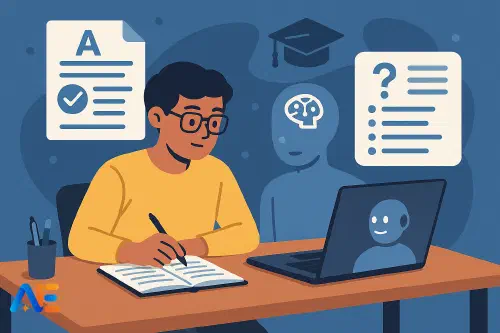
Why mocks are ideal for AI
Mock exams sit in a sweet spot. They matter enough to feel real, but they are also a place to practise exam techniques and revision habits without permanent consequences. That makes them the perfect moment to learn “smart AI revision” – how to use AI as a coach, not a shortcut.
If you experiment with AI during mocks, you can discover which tools genuinely help you understand topics and which simply hand you finished answers. You can test different prompt styles, find your ideal balance between digital and paper revision, and arrive at the real exams with a toolkit that already feels familiar.
Used thoughtfully, AI can help you:
- Organise topics and spot gaps in your notes
- Generate practice questions at the right level
- Get quick, structured feedback on your attempts
All of this is only useful, though, if it stays within school and exam rules. That is where clear ground rules matter.
For a broader overview of AI and revision, you might also like this guide to AI-powered revision techniques.
Ground rules: staying exam-safe
Before you use any AI tool, check your school’s policy and any guidance from your exam board. If you are unsure, ask a teacher. As a simple rule of thumb:
Generally allowed for mocks and revision (when your school approves):
- Turning your own notes or textbook sections into topic lists or summaries
- Asking for practice questions and then answering them yourself
- Getting feedback on work you have already written or calculations you have already done
- Asking for explanations of concepts you do not understand
Generally not allowed (and risky for real exams and coursework):
- Asking AI to write full coursework assignments or controlled assessments
- Submitting AI-written answers as if they were your own
- Uploading confidential or unpublished exam materials
- Using AI during any supervised assessment unless explicitly permitted
When in doubt, keep this principle in mind: AI should help you study, not secretly do the assessed work for you. If you would not be comfortable showing your teacher exactly how you used AI, rethink the approach.
For more on the ethical side of this, see our piece on digital citizenship and AI.
Turning notes into a revision plan
Most students enter mock season with a mixture of neat notes, rushed scribbles and half-remembered lessons. AI can help tidy this into a clear, manageable plan.
Gather your materials
Collect your syllabus or specification, class notes, handouts and any teacher-provided topic lists. If you can, type or scan key sections so you can paste them into an AI tool.
Ask AI to structure the topics
Paste in a section of your syllabus and prompt:
“You are my revision coach. Turn this syllabus section into a structured topic list with three difficulty levels: must-know, should-know, nice-to-know. Keep the original wording and do not invent new topics.”
Link topics to your notes
For each topic, add page numbers from your exercise book or digital folder. You might annotate: “Photosynthesis – notes pages 14–17; lab write-up 3.”
Create a weekly plan
Share your exam date and available study time with the AI and ask:
“Using this topic list, create a weekly revision plan up to my mock exam. Include spaced review of older topics.”
You now have a personalised revision map, built from your actual course content rather than a generic internet checklist. If you want to go deeper on planning, our article on AI-powered revision techniques expands this further.
AI-made practice questions (done right)
One of the safest and most powerful uses of AI is generating practice questions. The key is to base them on your syllabus and notes, not on secret exam materials.
You might paste in your notes on a topic and say:
“You are my exam-style question generator. Based only on the material I provide, create:
- three short-answer recall questions
- two ‘explain why’ questions
- one longer exam-style question.
Do not use any copyrighted exam questions.”
Then:
- Hide the AI window or print the questions.
- Answer them under timed conditions, on paper if possible.
- Only afterwards, return to AI and ask for a mark scheme and model answers.
This approach keeps the hard thinking yours, while still giving you high-quality practice.
Working with past papers
Past papers are one of the best revision tools you have. AI can enhance how you use them without spoiling future exams.
Step 1: Attempt first, then upload
Always try the questions yourself first. Treat it like a real exam: timed, no notes, no AI.
Step 2: Use AI as a marker and explainer
Afterwards, you can type or photograph your answers and prompt:
“Here is a past paper question and my answer. Using typical exam-board-style marking, estimate what mark this might get out of X and explain why, referring to the mark scheme style. Then show me a model answer.”
If you have the official mark scheme, you can paste that in too and ask AI to translate the criteria into student-friendly language.
Step 3: AI-guided error analysis
Ask the AI:
“List my main mistakes and misunderstandings from these answers. Group them into: content gaps, exam technique issues, and careless errors. Suggest how I can fix each group.”
This turns a single past paper into a targeted learning plan, instead of just a mark out of 60.
Discover the power of Automated Education by joining out community of educators who are reclaiming their time whilst enriching their classrooms. With our intuitive platform, you can automate administrative tasks, personalise student learning, and engage with your class like never before.
Don’t let administrative tasks overshadow your passion for teaching. Sign up today and transform your educational environment with Automated Education.
🎓 Register for FREE!
Getting useful feedback on your work
AI feedback is most helpful when you give it clear instructions and specific criteria.
For essays, try:
“I am preparing for a mock exam in [subject]. Here is the question and my essay. Give feedback in four sections:
- How well I answered the question
- Structure and organisation
- Use of evidence / examples
- Language and clarity
Then give me three concrete improvements I could make in my next essay.”
For calculations or short answers:
“Here is a maths/science question and my working. First, tell me if the final answer is correct. Then, step through my working line by line, pointing out any errors or unclear reasoning. Do not just give me the correct solution; focus on why my thinking went wrong.”
Keep your teacher’s marking style in mind. AI feedback is a supplement, not a replacement for what your teacher will tell you.
Building active recall routines
Active recall – forcing yourself to remember information without looking – is one of the most effective revision strategies. AI can help you build routines that use it every day.
You might paste in a page of notes and say:
“Turn this into 20 flashcards using the question–answer format. Make them suitable for quick recall, not long essays.”
You can then:
- Copy the flashcards into a physical card set or an app
- Ask the AI to quiz you orally: “Ask me five questions at a time from these flashcards. Wait for my answer, then tell me if I am right and briefly explain.”
- Request mixed-topic quizzes: “Create a 10-question mixed quiz from topics A, B and C, with increasing difficulty.”
If you are curious about how AI affects memory and learning, our article on when AI helps vs harms learning explores this in more depth.
Avoiding over-reliance on AI
It is tempting to let AI do the heavy lifting, especially when you are tired or stressed. To keep the learning yours:
- Always attempt a question yourself before asking AI for help
- Use AI explanations to check your understanding, not to replace reading or thinking
- Regularly revise without AI – for example, one AI-free study session for every AI-supported one
- Compare AI feedback with your teacher’s comments to see where the tool might be over- or under-generous
If you notice you are copying and pasting AI answers into your notes without really processing them, pause and reset. The goal is to train your brain, not your prompt-writing skills.
Low-device and no-account options
Not every student has a powerful device or personal logins for AI tools, and many schools are understandably cautious. Some safer, lower-tech options include:
- Teacher-curated prompts on a classroom computer, where students take turns using a shared AI account under supervision
- Printed AI-generated materials, such as practice questions, flashcards or model answers, created by teachers and handed out on paper
- Offline revision structures inspired by AI prompts, for example, teachers sharing “error analysis” templates or feedback checklists that students complete by hand
Some tools, such as Google’s NotebookLM, are designed to work with your own documents and notes. Where schools allow it, students can safely use them to organise class materials and generate questions, as described in our guide to NotebookLM for students.
Whatever the setup, the same rules apply: no uploading confidential exam materials, no generating assessed work, and no bypassing school policies.
One-page checklist for students
Here is a simple checklist schools can adapt and share before mock season. You might even stick it inside your exercise book.
Mock Exam AI-Use Checklist
- I have read and understood my school’s AI and assessment policy
- I only use AI for revision and practice, not for completing assessed work
- I base AI questions and summaries on my own notes and official syllabus
- I attempt questions myself before asking AI for answers or model responses
- I use AI to analyse my errors and plan next steps, not just to get marks
- I balance AI-supported study with AI-free practice sessions
- I keep a record of how I used AI in case my teacher asks
- I never upload confidential or unpublished exam materials
- I feel confident I could explain my revision process honestly to a teacher
Used with these safeguards, AI can become a powerful revision coach rather than a risky shortcut. Mock exams are your training ground: a chance to learn how to partner with AI in a way that boosts your understanding, respects the rules and leaves you genuinely ready for the real thing.
Happy revising!
The Automated Education Team