Why extended thinking matters
In most classrooms, students see polished answers far more often than they see messy, in-progress thinking. Yet success in modern curricula and future workplaces depends on being able to break down complex problems, test ideas, revise plans and justify decisions.
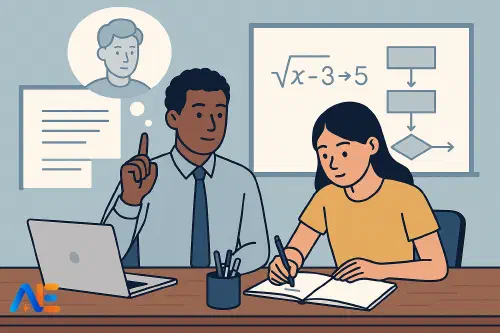
AI tools like Claude can now produce long, structured chains of reasoning. Used well, this is not about giving students instant solutions. It is about slowing thinking down, making invisible processes visible, and giving learners a safe space to practise multi-step reasoning with support.
Extended thinking is especially valuable when you want students to:
- Tackle unfamiliar, “non-routine” questions rather than routine drills
- Combine knowledge from different topics or subjects
- Explain not just what they did, but why each step makes sense
If you are interested in how this fits into broader skill development, you might also like future-proofing students’ skills AI can’t replace.
What Claude’s thinking looks like
In classroom terms, Claude’s extended thinking is similar to hearing a very articulate student “think aloud” while solving a problem on the board. Instead of just giving the final answer, Claude can:
- Restate the problem in its own words
- Identify what is known and what is missing
- Choose a strategy and justify it
- Work step by step, checking each stage
- Reflect on whether the answer makes sense
For example, in a history lesson you might ask:
“Explain why the Treaty of Versailles caused political tension in Germany. Show your reasoning step by step, as if you are a student planning a paragraph, not just giving the final answer.”
Claude might then outline key factors, connect them to evidence, and sketch a paragraph structure. This is chain-of-thought in a form students recognise: like a detailed plan on a mini whiteboard, not a finished essay.
In a science lesson, you might see Claude:
- Listing known quantities from a practical
- Drawing a simple diagram in text
- Choosing a formula and explaining why
- Substituting values, checking units
- Interpreting the result in words
The power lies in how transparent this process is. It gives you something concrete to critique, adapt and gradually hand over to students.
Designing prompts for clear reasoning
To use Claude as a worked example partner, the way you phrase prompts matters. You are not simply asking for “the answer”; you are asking Claude to model the sort of thinking you want students to copy and adapt.
You can guide this by:
- Asking for “step-by-step reasoning” or “thinking aloud”
- Setting a role, such as “You are a student explaining your method to a classmate”
- Limiting the level: “Use reasoning suitable for 13–14-year-olds”
- Focusing on explanation: “Explain each step as if I might disagree and need convincing”
For instance:
“Solve this equation and show your thinking step by step. Imagine you are explaining to a friend who is good at arithmetic but nervous about algebra. Make each step small and clear.”
Or, in literature:
“Analyse this poem’s use of imagery. First, list what you notice. Then group your observations into 3–4 big ideas. Finally, show how you would turn those ideas into a paragraph plan. Think aloud as you go.”
If you are exploring when this kind of AI support helps and when it risks harm, see when AI helps vs harms learning.
From reasoning to worked examples
Once Claude has produced a clear chain-of-thought, you can turn it into worked examples and gradual scaffolds.
One approach is:
Full worked example
Show Claude’s complete reasoning on the board. Read it with the class, pausing to ask, “Why this step?”, “Could we do it another way?”, “What’s missing?”
Partially completed example
Remove some steps and ask students to fill the gaps. For example, keep Claude’s structure but blank out justifications or calculations.
Prompt-only scaffold
Keep only the headings from Claude’s reasoning (e.g. “Step 1: Identify known information”). Students complete everything beneath.
Independent problem solving
Students tackle similar problems with no scaffold, then compare their reasoning to Claude’s afterwards.
This “fading” process mirrors how we use worked examples in many subjects. Claude simply speeds up the creation of high-quality, step-by-step models that you can adapt on the fly.
Discover the power of Automated Education by joining out community of educators who are reclaiming their time whilst enriching their classrooms. With our intuitive platform, you can automate administrative tasks, personalise student learning, and engage with your class like never before.
Don’t let administrative tasks overshadow your passion for teaching. Sign up today and transform your educational environment with Automated Education.
🎓 Register for FREE!
Subject-specific routines
Extended thinking is most powerful when it becomes a routine rather than a one-off novelty. Here are some subject-flavoured patterns you might build.
Mathematics
Use Claude to generate multiple solution paths for the same problem.
Ask:
“Show two different methods to solve this problem. For each method, explain why it works and when it might be better or worse than the other.”
In class, students:
- Compare the methods
- Highlight where they would be likely to make mistakes
- Decide which method they would choose and why
Over time, they internalise the habit of evaluating strategies, not just following the first one they see.
Science
Use Claude to model planning, not just calculation.
Prompt:
“Plan an investigation to test how light intensity affects photosynthesis. Think aloud as you decide what to keep the same, what to change, and what to measure. Explain the reasoning behind each decision.”
Students can then critique the plan, suggest improvements, and finally design their own investigation on a different factor (e.g. temperature) using the same reasoning structure.
Humanities
Use Claude as a “silent partner” for essay planning.
Ask:
“Here is a question and some notes. Show how you would turn these into a structured argument. First, sort the notes into groups. Then decide on an order. Finally, sketch topic sentences. Explain your choices as you go.”
Students can compare Claude’s plan with their own, borrowing useful structures but still choosing their own evidence and wording.
Languages
Use extended thinking to model how to build complex sentences.
Prompt:
“Turn this simple sentence into a more advanced one suitable for an exam answer. Think aloud as you add detail, connectives and more precise vocabulary.”
Students then imitate the process on different sentences, using Claude’s reasoning as a template rather than copying its final version.
For more on using AI as a co-teacher rather than a replacement, see human–AI co-pilot model teaching.
Avoiding over-scaffolding
There is a real risk that detailed AI reasoning can remove too much of the struggle. If students simply follow Claude’s steps mechanically, they may look successful without developing transferable skills.
To keep productive struggle alive:
- Hide Claude’s final answer and share only the structure of the reasoning
- Show a flawed chain-of-thought and ask students to debug it
- Ask students to predict the next step before revealing it
- Gradually reduce Claude’s detail over a sequence of lessons
You might also explicitly discuss with students: “What parts of this thinking do you want to be able to do without help by the end of the term?”
Extended thinking is an excellent gateway into metacognition – thinking about thinking. Because Claude’s reasoning is written down, students can step back and analyse it more easily than their own internal thoughts.
You can ask:
- “Where does this reasoning check itself?”
- “What assumptions is Claude making here?”
- “Which step would you be most likely to skip if you were rushing?”
Then invite students to annotate Claude’s chain-of-thought with their own comments, questions and alternative strategies. This helps them build a personal toolkit of approaches for complex problems.
If you are thinking about longer-term skill development, you may find openai-o1 reasoning models for educators a useful comparison of different AI reasoning tools.
Safeguards and exam considerations
Whenever you use extended AI reasoning, it is important to be clear about boundaries.
In many systems, students are not allowed to use AI tools directly for coursework or exams. Your classroom use should therefore focus on process, not product. Some practical safeguards include:
- Keeping AI interactions on a teacher device or shared screen, not on students’ personal accounts
- Using Claude mainly for generic practice questions, not live assessment tasks
- Emphasising that AI is a thinking aid, not an author of assessed work
- Modelling citation and honesty when AI has influenced ideas
You might also explicitly discuss with older students how exam conditions differ: “Here, Claude is helping us practise planning and checking. In the exam, you will need to run that process in your own head.”
Getting started next week
You do not need to redesign a whole unit to begin. Choose one class and one topic where students often get stuck in the middle of a problem, not at the start.
Next week, you could:
- Take a past exam question, ask Claude for step-by-step reasoning, and use it as a live worked example for whole-class discussion
- Ask Claude to generate two different solution paths, then run a short debate: “Which method is better and why?”
- Use Claude to create a partially completed plan or calculation, then give students five minutes to complete it before showing Claude’s full version
- Invite students to write their own mini chain-of-thought for a problem, then compare it to Claude’s and refine their version
Start small, watch how students respond, and adjust the level of detail and support. Over time, Claude can become a reliable “thinking partner” that helps you make complex reasoning visible, while you remain firmly in charge of the pedagogy.
Happy reasoning!
The Automated Education Team