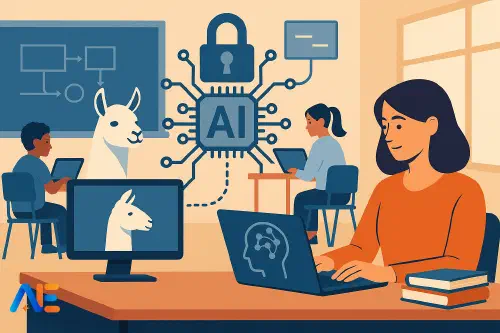
Why open models now
Over the past year, open-source models such as Llama and Mistral have quietly moved from research toys to serious contenders for school use. They are no longer wildly behind closed systems like GPT or Claude for everyday tasks such as lesson planning, feedback drafting or rewriting parent communications.
At the same time, subscription costs for premium AI tools are starting to bite. Paying per-seat licences for every teacher, plus higher tiers for leadership and support staff, can quickly outstrip a typical school’s innovation budget. Many schools are discovering that the real blocker to AI adoption is not enthusiasm or ideas, but ongoing cost and data control.
Open models flip that equation. You can run them on your own servers, in a regional cloud, or via a local partner. You pay primarily for compute and storage, not for every single user. For an overview of where Llama fits in the current landscape, you may find our Llama 3 budgets guide helpful as a companion piece to this playbook.
Closed vs open in schools
For a typical school, the difference between closed and open models shows up in four areas: cost, data, flexibility and responsibility.
With closed models, you pay subscription or usage fees to a vendor, who hosts the model and usually controls updates. Your data flows to their servers, and you rely on their content filters and policies. This is convenient and quick to start, but it can be expensive at scale and may raise data protection questions, especially in jurisdictions with strict localisation rules.
With open models, you or a partner host the system. You choose where data lives, how it is logged, and which model versions to use. You can tune the model on local curriculum examples, or restrict it to specific tools. However, you also take on more responsibility for safety, monitoring and maintenance.
In practice, most schools will not abandon closed models entirely. Instead, they will blend them: open models for high-volume, internal workflows such as planning and marking support, and closed models for niche or high-stakes tasks where top-tier performance or vendor guarantees are essential.
Choosing a deployment route
Your first strategic decision is how to deploy open models. For most schools and multi-school groups, there are three realistic routes: self-hosted, local partner or cloud API.
Self-hosting means running the model on your own hardware, perhaps in an on-site server room or central data centre. This gives maximum control and can be cost-effective if you already have GPU-capable infrastructure and skilled staff. However, it requires confident Linux administration, containerisation skills and a clear maintenance plan. If you struggled to keep your on-premises VLE updated, full self-hosting of AI may be too heavy.
Working with a local partner is often the most pragmatic route. A regional IT provider or edtech company hosts the models in their environment, ideally within your legal jurisdiction, and exposes them to your school via secure APIs or web apps. You retain data control through contract and configuration, while offloading the operational complexity. This model is particularly attractive for groups of schools that can negotiate shared infrastructure.
Cloud APIs for open models sit somewhere in between. Cloud providers now offer hosted Llama, Mistral and similar models with pay-as-you-go pricing. You get the benefits of open models (no per-seat licence, flexible tuning) without managing the underlying servers. The trade-off is that you are again dependent on a large vendor, so you must check data residency and retention carefully.
Designing safe use cases
Before touching infrastructure, define where you will allow open models to operate. Safe, bounded use cases are your strongest safeguard, even before technical filters.
A useful starting point is to focus on staff-only workflows. For example, a humanities teacher might paste a scheme of work and ask the model to suggest retrieval practice questions for each week. A science teacher might upload anonymised lab reports and ask for common misconceptions to address. In both cases, the teacher remains the decision-maker, and the model is a drafting assistant, not an assessment authority.
You can then layer in administrative tasks: drafting newsletters, rewriting policies into parent-friendly language, or summarising long documents for senior leadership. These uses are low risk, high value, and give your staff time back while you refine your guardrails.
Only once you have confidence in these staff workflows should you move towards student-facing access. By that point, you will know which prompts, topics and behaviours tend to cause problems, and you can design age-appropriate boundaries accordingly. Our guide on building AI workflows that stick explores how to embed these new habits across your staff.
Guardrails 101
Guardrails for open models fall into three main categories: content filtering, logging and access control. You do not need a complex system from day one, but you do need something in each area.
Content filtering means screening prompts and responses for unsafe or policy-breaking material. With open models, you can use a second, smaller model as a classifier, or rule-based filters for obvious red flags such as explicit content or self-harm instructions. Many open-source toolkits now bundle basic moderation models that can be chained before and after the main model.
Logging is your safety net and your evidence base. Every interaction should be associated with a user identity, timestamp and application. You do not need to store full prompts forever, but you should have enough detail to investigate incidents and spot patterns. For example, you might discover that certain year groups repeatedly push against the boundaries, prompting targeted digital citizenship lessons.
Access control ensures that not everyone can do everything. Teachers might have access to curriculum design tools and feedback assistants, while students can only use tightly scoped “explain this concept” or “help me plan my revision” assistants. Role-based access can be implemented via your existing identity provider, so staff and students sign in with familiar accounts.
Discover the power of Automated Education by joining out community of educators who are reclaiming their time whilst enriching their classrooms. With our intuitive platform, you can automate administrative tasks, personalise student learning, and engage with your class like never before.
Don’t let administrative tasks overshadow your passion for teaching. Sign up today and transform your educational environment with Automated Education.
🎓 Register for FREE!
Practical teacher workflows
Once the foundations are in place, open models can support a wide range of everyday tasks. A common pattern is to wrap the model in a simple web interface that offers a small set of clearly labelled tools, rather than a blank chat box.
For planning, a teacher might select “Unit planner”, paste their syllabus for a half-term, and choose the age group and subject. The system then produces a draft sequence of lessons, suggested formative assessments and ideas for differentiation. Because the model runs on your infrastructure, you can pre-load it with local curriculum examples and policies, improving relevance over time.
For feedback, a “Marking assistant” tool can take anonymised student work and a rubric, then suggest strengths, targets and next steps in plain language. The teacher reviews and edits these comments before they reach students. This is particularly powerful when combined with your own marking descriptors and grade boundaries, which can be embedded in the prompt templates.
Administrative tasks are also ripe for automation. A “Rewrite for parents” tool can convert a dense behaviour policy update into a friendly newsletter paragraph, while a “Meeting summary” tool can turn uploaded minutes into action lists and reminders. Because you control the environment, you can keep these documents within your own data boundary.
Student-facing use
Student-facing access requires a more cautious, layered approach. The aim is not to give every pupil a raw chat interface to a powerful model, but to create sandboxes that support learning within clear boundaries.
One pattern is a “Study coach” that only answers questions linked to approved resources. For example, it might be allowed to explain concepts from a particular science textbook or a set of teacher-curated notes, but not to browse the wider internet. Another is a “Writing helper” that focuses on planning, structure and vocabulary suggestions, while avoiding full essay generation.
Age bands matter. Primary pupils might have access only to factual explanations and reading support, with strict filters and short sessions. Older students can handle more open-ended tasks, but you may still want to log and periodically review interactions, both for safeguarding and to inform digital literacy teaching. Our September AI readiness checklist includes prompts for aligning this work with your wider curriculum.
Clear policies are essential. Students and parents should understand what the system can and cannot do, what is logged, and how misuse will be handled. This is an opportunity to weave AI ethics and critical thinking into your broader digital citizenship programme.
Working with key stakeholders
Open-source AI cannot be an IT-only project. From the outset, involve safeguarding leads, data protection officers and curriculum leaders in design decisions.
Safeguarding teams will want to understand how harmful content is blocked, how incidents are escalated and how logs are monitored. Data protection colleagues will focus on where data is stored, how long it is kept and which third parties are involved. Curriculum leaders will care about alignment with existing schemes of work and assessment practices.
A practical way to coordinate is to form a small working group with clear decision rights and a regular meeting schedule. Use early pilots to gather evidence rather than opinions: real usage data, anonymised transcripts and teacher feedback. This helps move the conversation from abstract fears to concrete trade-offs.
Estimating cost and savings
To make a compelling case for open models, you will need to compare total cost of ownership against existing or proposed subscriptions. This means looking beyond headline GPU prices to include staff time, support and training.
Start with a simple model. Estimate your current or projected spend on closed AI tools: per-seat licences, premium tiers and any add-ons. Then cost an open deployment for the same number of users, including hosting, partner fees if applicable, and a realistic allowance of IT staff time.
In many scenarios, especially for larger schools or groups, open models become cheaper once you reach a certain scale of usage. They also avoid the “licence shock” when you realise that giving every teaching assistant or admin staff member access doubles your bill. Our DeepSeek R1 briefing explores how newer, efficient models further shift this cost curve.
Do not forget indirect savings. If teachers save even 30 minutes a week through better planning and feedback tools, the time reclaimed across a whole staff body is substantial. While you cannot convert this directly into budget, it strengthens your strategic case.
A 90-day rollout plan
A realistic 90-day plan helps you move from idea to impact without overwhelming your teams.
In the first 30 days, focus on scoping and infrastructure. Choose your deployment route, set up a test environment and implement basic guardrails. Identify three or four low-risk staff workflows to pilot, and recruit a small group of enthusiastic teachers.
Days 31–60 are for piloting and refinement. Run real tasks through the system, gather feedback and adjust prompts, filters and access controls. Begin drafting your staff and student policies, using examples from the pilots to illustrate both benefits and boundaries.
In the final 30 days, prepare for wider rollout. Train a cohort of “AI champions” across departments, finalise documentation and integrate with your identity systems. Plan a phased launch: staff-only first, then carefully bounded student access for specific subjects or year groups. Schedule a formal review after the first term to decide on scaling, tuning or combining with selected closed tools.
Open-source AI is no longer a distant research project; it is a practical option for schools that want control, flexibility and better value. With thoughtful guardrails and clear governance, models like Llama and Mistral can become safe, everyday tools for teachers and students alike.
Happy deploying!
The Automated Education Team