What AI ethics means
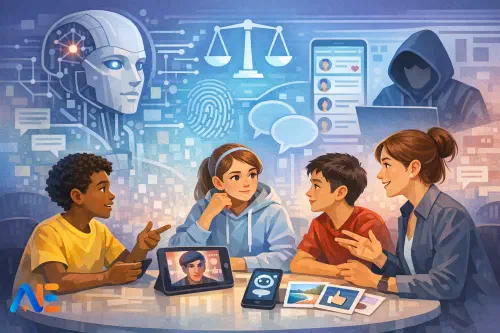
For young people, “AI ethics” is not a philosophy seminar. It is the everyday question: “Is this fair, safe, and respectful when a computer helps make decisions?” Pupils encounter AI when a platform recommends videos, a phone groups photos by faces, a game moderates chat, or an app generates an image. Ethics is the part that asks who benefits, who might be harmed, and who gets a say.
It also helps to name what AI ethics is not. It is not learning how to code a model, memorising technical terms, or debating distant sci-fi futures. In school, AI ethics is mainly about habits of reasoning: noticing bias, protecting privacy, asking for consent, checking what is real, and giving credit. If you are building wider digital understanding, you may find it helpful to connect this work to your broader approach to digital citizenship and AI, so pupils see ethics as part of everyday online life rather than a one-off lesson.
A consistent protocol
A phase-banded toolkit works best when the discussion routine stays the same, even as the dilemmas mature. That consistency reduces cognitive load, keeps conversations safe, and makes it easier for pupils to transfer the “how” of ethical thinking between topics.
Start by establishing simple norms: talk about the scenario, not real people; you can pass if you feel uncomfortable; no naming classmates; and we challenge ideas, not individuals. Then assign light-touch roles that rotate: a summariser (retells the story), a fairness checker (who might be left out), a privacy protector (what information is involved), and a reality checker (what could be fake or misunderstood). In Primary, you can keep roles as “helpers” with picture cues; in KS4, pupils can justify their role’s viewpoint with evidence.
Sentence stems keep talk purposeful and age-appropriate. Useful ones include: “I think this is fair/unfair because…”, “A risk might be…”, “A safer choice could be…”, “We need permission when…”, and “I’m not sure yet; I need more information about…”. Build in opt-out routes: pupils can write instead of speaking, contribute via anonymous sticky notes, or respond as a “character” in the story rather than themselves.
For the structure, choose one familiar routine and use it repeatedly. Think–pair–share works well for quick tutor time. Circle time suits Primary and builds listening. Structured controversy is powerful in KS3/KS4: pupils first argue one side, then swap and argue the other, then try to agree on a balanced conclusion. The aim is not to “win” but to practise reasoning and respectful disagreement.
Primary dilemmas
In Primary (KS1/KS2), keep scenarios short, concrete, and feelings-aware. Each mini story below can run in 10–15 minutes with a quick activity that makes thinking visible.
The first story is about fairness. “The lunch queue helper” describes a tablet that suggests who should go first because it “knows who is hungriest”. One child always seems to be picked last. Ask pupils to sort possible reasons into “might be fair” and “might be unfair”, then create a class rule: what should adults check before trusting the tablet?
The second story explores feelings and wellbeing. “The sticker app” gives pupils a “mood score” after they type a journal entry. A child feels labelled when the score says “angry” on a day they were excited. Invite pupils to draw two speech bubbles: what the app says, and what the child wants to say back. Discuss why computers can guess feelings wrongly and what a kind response looks like.
The third story is about asking first. “The class photo maker” turns a photo into a cartoon poster for the corridor. One pupil says they do not want their face used. Use circle time to practise a consent script: pupils rehearse asking, refusing politely, and accepting “no” without pressure. Emphasise that consent can be withdrawn.
The fourth story focuses on keeping secrets. “The helpful homework bot” asks for a pupil’s full name and address “to save your progress”. Pupils choose between three signs: “Share”, “Ask an adult”, or “Don’t share”. Then co-create a simple “ask first” checklist for personal information, linking it to safety rather than fear.
The fifth story asks, “Is it real?” “The talking pet video” shows a cat apparently speaking in a neighbour’s voice. Pupils list clues that something might be edited (odd mouth movements, strange lighting, missing context). Finish with a class mantra: “Pause, check, ask.”
KS3 dilemmas
In KS3, pupils are ready for more nuance: trade-offs, group dynamics, and how systems shape choices. Keep scenarios relatable to platforms they recognise, without requiring anyone to disclose personal use.
The first dilemma tackles recommendations and bias. “The spiral feed” follows a pupil who watches two football clips, then gets a stream of increasingly extreme content about rival fans. Ask pupils to map a “recommendation chain” on paper: what they watched, what the system inferred, what it served next. Discuss who benefits from longer watch time, and how a pupil can regain control.
The second dilemma explores data trails. “The free revision site” offers quizzes but quietly tracks clicks and time-on-task. Pupils role-play as “site owner”, “pupil”, and “parent/carer”, each writing one non-negotiable condition for use. Compare conditions and agree what “reasonable” data collection looks like.
The third dilemma is consent in group work. “The shared doc” involves a student pasting everyone’s contributions into a chatbot to “tidy it up”, without asking the group. Use structured controversy: one side argues it was efficient and harmless; the other argues it broke trust and consent. Then agree a group-work rule for AI tools, and connect it to classroom norms you may already be developing through pupil voice, such as the approach in listening cycles and classroom norms.
The fourth dilemma is manipulated media. “The edited clip” shows a teacher apparently saying something insulting. Pupils build a verification ladder: what to check first (source, date, context), what to check next (multiple reports, original upload), and when to stop sharing. Make it explicit that “not sharing yet” is a responsible action.
The fifth dilemma is ownership and credit. “The poster contest” features a pupil who uses an image generator and submits the output as entirely their own. Discuss what should be credited: the prompt-writing, the idea, the tool, and any sources used. Invite pupils to draft a simple credit line they could add to work.
KS4 dilemmas
In KS4, dilemmas can mirror real-world stakes: decisions, governance, and accountability. The goal is not to create cynicism, but to help pupils ask better questions and see that ethical choices are shaped by power and policy.
The first dilemma is algorithmic decision-making. “The college shortlist” uses an automated score to decide who gets an interview. A pupil with strong grades is rejected, and nobody can explain why. Pupils identify what evidence should be available (criteria, appeals process, human review) and write two questions they would ask the organisation.
The second dilemma is privacy trade-offs. “The safety app” offers location tracking to reduce risks on the journey home, but stores data indefinitely. Pupils draw a “privacy budget”: what data might be proportionate for safety, what retention period seems fair, and what consent should look like. Discuss how “helpful” can still be intrusive.
The third dilemma is deepfakes and harm. “The fake voice note” imitates a pupil’s voice to cause trouble. Use a harm lens: immediate harm (reputation, relationships), longer-term harm (trust, anxiety), and community harm (fear of speaking). Then plan a response pathway: who to tell, what evidence to preserve, and how to avoid amplifying the content.
Discover the power of Automated Education by joining out community of educators who are reclaiming their time whilst enriching their classrooms. With our intuitive platform, you can automate administrative tasks, personalise student learning, and engage with your class like never before.
Don’t let administrative tasks overshadow your passion for teaching. Sign up today and transform your educational environment with Automated Education.
🎓 Register for FREE!
The fourth dilemma covers IP and copyright. “The remix coursework” includes AI-generated text and images trained on unknown sources. Pupils debate what “original” means in creative work, then draft a transparent methods note: what tool was used, what was edited, and what sources were consulted. This fits well alongside broader planning for AI use in learning, such as the lesson moves in AI across the curriculum.
The fifth dilemma is accountability and governance. “The school chatbot” gives unsafe advice, and nobody is sure who is responsible: the vendor, the school, the user, or the platform. Pupils map a responsibility chain and propose safeguards at each point (testing, monitoring, reporting, human oversight). If you want to connect classroom discussion to the wider landscape, you can keep your knowledge current through an AI policy watch style update, without turning tutor time into a policy lecture.
Facilitation notes
Sensitive disclosures can arise, especially around manipulated images, harassment, or coercion. Set expectations at the start: pupils should not share personal incidents in detail. If something worrying is hinted at, acknowledge it briefly, move the class back to the scenario, and follow your safeguarding process afterwards. It helps to have a “parking space” method: pupils can write a concern on paper for the teacher to read later.
Misinformation is best handled with calm modelling. When a pupil states something confidently (“AI always steals your data”), respond with curiosity: “What makes you think that?” and “What would we need to check?” This keeps the room from splitting into believers and sceptics. For polarised debate, structured controversy helps because pupils must inhabit both sides before reaching a conclusion. You can also separate values from facts: values are debated; facts are checked.
Low-device assessment
This toolkit is designed to work with no devices at all. Printed story cards, role badges, mini whiteboards, and sticky notes are enough. For quick assessment, use exit tickets that ask pupils to apply one concept: “Name one risk and one safer choice”, or “What would you ask before sharing this?” Reflection prompts can be as simple as: “I used to think… now I think…”.
A lightweight ethical reasoning rubric can track progress over time: pupils move from naming a feeling or rule, to identifying stakeholders, to weighing trade-offs, to proposing safeguards and justifying them. Keep it formative and specific to the discussion, not a judgement of character.
Home–school link
A one-page parent/carer script can reduce anxiety and invite shared language. Keep it practical: explain that pupils are discussing fairness, privacy, consent, deepfakes and ownership through fictional stories; reassure families that no pupil data is used; and suggest two questions to ask at home, such as “What would you do if you weren’t sure a video was real?” and “When is it okay to say no to sharing?”
A pupil pledge template works best when it is short and revisited. Invite pupils to choose three promises, for example: pause before sharing, ask before using someone’s work or image, and seek help if something feels wrong. The pledge is not a contract; it is a reminder that ethical choices are part of everyday digital life.
For thoughtful, safer conversations in your tutor room and beyond,
The Automated Education Team