What enrichment needs
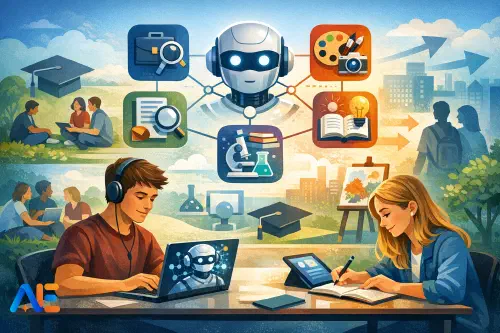
Post-exam enrichment works best when it does three things at once: it restores students’ sense of agency, it consolidates habits that travel into the next stage, and it protects relationships and routines when energy dips. What it should avoid is “random fun” with no outcome, or pseudo-work experience that quietly rewards the most confident speakers. It also needs to avoid turning AI into a novelty button. If students leave thinking AI is just a shortcut, you’ve created a problem for next year.
A good post-exam programme gives students structured freedom. They can choose a pathway, but they cannot opt out of thinking. They get permission to explore, but with boundaries that keep privacy, safety, and integrity intact. If you’ve run project menus before, you’ll recognise the rhythm; this version simply makes AI use explicit, auditable, and teachable. If you want a similar menu-based approach with showcase ideas, the structure in this low-device project menu adapts well to post-exam weeks.
The studio model
The “AI Transition Studio” is a two-week, low-stakes project sprint. Students pick one of five pathways and produce a small “evidence pack” that shows process, not just polish. Your job is to run the studio like a calm workshop: routines, time boxes, check-ins, and short teaching moments when patterns emerge.
Roles help the room run itself. In pairs or threes, students rotate through a Facilitator (keeps to time), a Sceptic (checks claims and sources), and a Recorder (captures decisions and prompts). Those roles make AI use visible because someone is always tasked with asking, “How do we know?” and “What did we change?”
A simple two-week timetable keeps momentum without over-planning. You can flex minutes and swap days, but keep the sequence.
Week 1 begins with studio launch, pathway choice, and a baseline “AI habits” mini-lesson: what AI can do, what it cannot do, and how to document use. Then students complete a first-draft artefact by mid-week, followed by a verification and improvement cycle. By Friday, they submit a rough evidence pack for formative feedback.
Week 2 focuses on iteration, communication, and readiness. Students tighten their work, rehearse a short explanation of their process, and prepare a micro-showcase. The final session is a calm celebration: not a high-stakes presentation, but a structured gallery walk where students practise describing how they made decisions.
If you want language for building classroom norms around AI use, the routines in this article on listening cycles and classroom norms slot neatly into the Week 1 launch.
Non-negotiables
Safeguarding, privacy, and integrity are not “extra”; they are the curriculum here. Start with age-appropriate boundaries: no sharing personal data, no uploading identifiable student work to unknown tools, and no using AI to generate content that will be submitted as formal assessment elsewhere. Keep it simple, repeated, and visible.
A practical script you can use, verbatim, sounds like this: “You may use AI to support thinking, planning, and feedback. You must not use it to impersonate a real person, to create or share personal information, or to produce final work you claim is entirely yours. If you’re unsure, pause and ask.” Then add the classroom consequence: “If you break the boundaries, you switch to the offline pathway and we reset.”
Privacy also means data minimisation. Use generic prompts, fictionalised scenarios, and local storage where possible. If students are researching careers or writing CV drafts, they can use placeholder details (“Student A”, “Town X”) and only personalise offline at the end. For a deeper dive on safe, teachable boundaries, link your policy language to this guide on digital citizenship and AI.
Integrity is easiest to protect when you assess process. Students can use AI, but they must show how they used it, what they rejected, and what they revised. That expectation reduces the “copy-paste temptation” because the work is not complete without a trail.
Set-up in 30 minutes
You can set this up quickly with a single printed studio pack per student and one shared slide or board for routines. Your materials are straightforward: pathway briefs, a daily time-box schedule, an evidence pack checklist, and a prompt bank. Add a “minimum-data workflow” poster: “No names, no addresses, no photos, no logins you don’t need.”
In practice, the minimum-data classroom workflow is: students draft on paper first, then use AI for specific moves (idea generation, critique, restructuring, question creation), then return to paper for final decisions and reflection. Even in a well-resourced room, this paper-first rhythm slows things down in a good way. It makes thinking visible and reduces the sense that AI is doing the work.
Discover the power of Automated Education by joining out community of educators who are reclaiming their time whilst enriching their classrooms. With our intuitive platform, you can automate administrative tasks, personalise student learning, and engage with your class like never before.
Don’t let administrative tasks overshadow your passion for teaching. Sign up today and transform your educational environment with Automated Education.
🎓 Register for FREE!
Pathway 1: Careers
In the careers pathway, students use AI for options research, but the “reality check” is non-negotiable. The goal is not to pick a life plan in a week; it is to practise informed exploration and sceptical reading.
A tight sequence works well. Students begin with a personal constraints map: interests, preferred working conditions, non-negotiables, and “unknowns”. They then ask AI to generate a shortlist of roles that fit those constraints, but they must immediately cross-check with at least two reliable sources. Next comes the reality-check interview: a short conversation with a trusted adult, local contact, or recorded public talk, focusing on what the job actually involves, what surprised them, and what the route looks like.
The device-light version keeps the same logic. One device per group generates the initial shortlist, which is printed or copied onto paper. Students then rotate through offline stations: a printed careers library (Prospects-style summaries, course pages, apprenticeship overviews), a question-writing station, and an interview-planning station. If no interviews are possible, students can do a “public reality check” using printed transcripts or articles and annotate where AI’s description was vague or misleading.
Pathway 2: Research
This mini-inquiry is built around a simple discipline: claims must earn evidence. Students pick a question with real-world relevance, such as “Do energy drinks affect sleep in teenagers?” or “What makes feedback effective?” They ask AI to generate a set of plausible claims and counterclaims, then they treat that output as a hypothesis list, not an answer.
The core of the pathway is a source trail. Students locate sources, summarise them in their own words, and log verification checkpoints: author expertise, publication context, date, and whether the evidence actually supports the claim. AI can help by suggesting search terms, highlighting possible confounders, or generating a checklist for evaluating a study, but students must do the reading and keep the trail.
A strong classroom move here is the “red pen checkpoint”: halfway through, students must circle any sentence in their draft that lacks a source trail. They then either find evidence, rewrite it as a question, or remove it. That habit is worth more than the final poster.
Pathway 3: Creative portfolio
This pathway is for students who need to make something: writing, art, music, design, or multimedia. The constraint is what keeps it rigorous. Students choose a brief with limits, such as “a 300-word monologue with three mandatory objects” or “a poster using only two colours and one typeface family”. They can co-create with AI, but they must show decision-making.
The authorship evidence pack is the assessment. Students include: the original brief, two iterations with tracked changes or annotated screenshots, a list of prompts used, and a short commentary explaining what they accepted, what they rejected, and why. In a classroom, you might see a student generate five tagline options, then explain why they chose one and rewrote it to fit tone and audience. That explanation is the learning.
If devices are limited, students can do “AI as critic” rather than “AI as creator”. One group member inputs a draft and asks for feedback against the brief. The group then decides what to change on paper, keeping the final creative control human.
Pathway 4: Study skills
Post-exam is a perfect time to turn vague intentions into routines. This pathway produces a personalised plan for the first half-term of next year, grounded in retrieval practice, error logs, and metacognition. The key is that it is not “revise everything”; it is “build systems”.
Students start by creating an error log from recent mocks or practice papers: common misconceptions, question types that trigger mistakes, and conditions that make focus harder. AI can help classify errors and suggest retrieval prompts, but students must supply the raw data and reflect honestly. Then they design a two-week “starter routine” for next year: short retrieval sessions, spaced review, and a weekly reflection that asks, “What did I misunderstand, and what will I do differently?”
If you want to connect this to evidence-based techniques, point students to a short reading and then use AI to generate practice questions. The approach aligns well with these AI-supported revision techniques, especially when students keep their own error logs and question banks.
Pathway 5: Transition prep
This pathway supports next-step readiness without turning into high-pressure performance. Students build three practical artefacts: a CV or activity summary, a personal statement scaffold, and a “first six weeks” plan that covers routines, support networks, and likely pinch points.
AI is useful for structure and rehearsal. Students can ask for a template, a set of sentence starters, or an interview question bank tailored to a chosen route. They can also role-play interviews with AI, but you should keep it bounded: no personal data, no real institution names if privacy is a concern, and no recording without consent. The learning comes when students compare AI feedback with a peer’s feedback, noticing where generic advice needs human context.
Offline variants are straightforward. Students can use printed exemplars and a question deck for interview practice. They can also write a “values and evidence” table by hand: each claim about themselves must be matched with a concrete example.
Assessment without stakes
Assessing this studio is about recognising effort, judgement, and responsible use. A simple process rubric works: clarity of goal, quality of checking, evidence of iteration, and reflection on AI’s role. Students should know from day one that a glossy product with no trail scores lower than a rough product with a strong process.
Reflection prompts keep it grounded. Ask students to respond briefly to questions such as: “Where did AI save you time, and where did it waste it?” and “What did you change after checking a source or getting feedback?” For the showcase, keep it light: a gallery walk with three-minute “explain your process” conversations. Students place their evidence pack on the desk and highlight one decision they are proud of.
Equity and access
Mixed-access settings are normal, not exceptional. Design for one-device groups and paper-first workflows, then treat extra devices as a bonus. The studio roles help here because the “Recorder” can maintain a paper trail while the “Facilitator” manages the shared device. Offline alternatives should not feel like a punishment; they should be parallel routes that meet the same outcomes.
When internet access is patchy, pre-print a small resource bundle: career summaries, research evaluation checklists, exemplar CV sections, and a prompt bank students can adapt later. You can also run “teacher-as-AI” moments: students write their prompt on paper, you choose one or two to input on a single machine, and the class critiques the output together. That shared critique is often more powerful than individual chatting.
Templates to copy
A few copy-ready templates will carry the studio. You can paste these into your own documents and adapt the language to your setting.
Student brief (short): “Choose one pathway. Work in a pair or a three. Use time boxes and keep an evidence pack that shows your process. You may use AI for planning and feedback, but you must document prompts and decisions. Your final submission is a small artefact plus your evidence pack and reflection.”
Parent/carer note (short): “Over the next two weeks, students will complete a low-stakes transition project. They may use approved AI tools in class under supervision to support planning, drafting, and feedback. We will not ask students to enter personal data. The focus is on safe, responsible use and on building habits for the next stage.”
Acceptable-use reminders: “No personal data. No identifiable images. No impersonation. No sharing logins. Treat AI output as unverified. Check claims. Record prompts and changes.”
Prompt bank (examples):
- “Suggest three options that fit these constraints… then list what you would need to verify.”
- “Act as a critical friend. Check this against the brief and point out where it’s vague.”
- “Generate five retrieval questions from these notes, mixing easy and challenging.”
- “List possible counterarguments to this claim and what evidence would test them.”
- “Rewrite this paragraph for clarity, but keep my meaning. Show what you changed.”
May your post-exam weeks feel purposeful, calm, and genuinely future-facing.
The Automated Education Team