Why this playbook
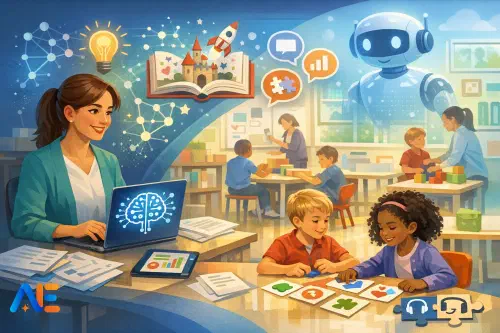
In KS1 and KS2, the safest and most useful way to use AI is often the least flashy: treat it like a behind-the-scenes classroom assistant. That means you, the teacher, remain the decision-maker. AI helps you draft, adapt and check materials, but pupils are not asked to chat to it, create accounts or share personal information. Used this way, AI can reduce planning friction, widen access and strengthen consistency—without turning lessons into a technology demo.
This article is designed to be practical. You’ll get five “micro-routines” you can repeat weekly, each with a prompt you can paste into your chosen tool. If you want to build the wider curriculum picture, you may also find it helpful to pair this with AI across the curriculum lesson moves and revisit digital norms through digital citizenship and AI.
Safe AI in primary
“Safe AI in primary” is not a single setting; it is a set of habits. The core idea is teacher-led use with minimum data. In practice, that means you do not paste pupil names, dates of birth, addresses, photos or anything that could identify a child. It also means you avoid uploading whole pieces of pupil work unless they are anonymised and stripped of distinctive details.
A teacher-in-the-loop approach also assumes AI can be wrong. It may invent facts, misread a task or produce biased examples. Your role is to verify, edit and decide. The reward is that you can use AI for the parts of the job that are repetitive—drafting, rephrasing, generating options—while keeping pedagogy, relationships and safeguarding firmly human.
Set-up in 15 minutes
Start by setting simple boundaries for yourself and any colleagues who share resources. Decide, in one sentence, what AI is for in your classroom. For example: “AI helps me plan, adapt and check resources; pupils do the thinking and the writing.” This sentence becomes your anchor when you are tired and tempted to over-delegate.
Next, check tool settings. If your tool offers data controls, turn off training on your inputs where possible, and avoid saving conversation history on shared devices. Use a generic staff account rather than personal logins on classroom machines. Keep a short “AI use log” in your planner: date, purpose and what you edited. This is not bureaucracy for its own sake; it helps you spot drift and gives you a calm answer if a parent asks, “How are you using this?”
Finally, introduce a simple class script so children understand what AI is (and isn’t) in your room. You’ll find a one-page pupil script later, but the key message is: “AI is a tool adults sometimes use to help prepare learning. It does not know you, and it does not decide your work.”
Micro-routine 1: Planning
Use AI to turn objectives into a lesson skeleton, likely misconceptions and quick checks. This works particularly well when you are teaching a unit you know well but want to tighten sequencing, or when you are covering unfamiliar content and want a second pair of eyes. Imagine you are planning a KS2 maths lesson on equivalent fractions: AI can suggest hinge questions and common errors (like adding denominators) that you can then tailor to your class.
Prompt (copy and adapt):
“Act as a KS1/KS2 teacher planning assistant. Create a 45–60 minute lesson skeleton for: [objective]. Include: (1) short retrieval starter, (2) modelled example with talk-aloud, (3) guided practice, (4) independent practice with three levels of challenge, (5) plenary. Add: likely misconceptions, 3 hinge questions with answers, and 2 quick formative checks. Keep language teacher-facing. Do not include any pupil data.”
When you receive the output, scan for anything that does not match your curriculum sequence, then edit ruthlessly. The win is not the first draft; it is the speed at which you reach a better second draft.
Micro-routine 2: Storytelling
In primary, storytelling is a powerful place to use AI carefully. The goal is not to outsource children’s writing. Instead, use AI to generate story starters, character banks and oral rehearsal prompts that help pupils produce richer language themselves. For example, in KS1 you might use a character bank to support sentence building and vocabulary choice during shared writing. In KS2, you might use alternative openings to compare authorial choices before pupils draft their own.
Prompt (copy and adapt):
“Create storytelling support for KS1/KS2 on the theme: [theme/text link]. Provide: 5 story starters (1–2 sentences each), a character bank of 8 characters with one vivid detail each, 10 setting phrases, and 6 oral rehearsal questions that encourage pupils to add feelings, motives and consequences. Keep everything age-appropriate and inclusive. Avoid copyrighted text and avoid stereotypes.”
Use the output as a menu, not a script. A simple classroom move is to display three starters and ask pupils to vote for the most intriguing, then orally rehearse using sentence stems you already teach. Children still write; AI merely widens the runway.
Micro-routine 3: Vocabulary
Vocabulary teaching benefits from repetition and clarity, and AI can help you prepare tiered word lists, child-friendly definitions and retrieval games. Picture a KS2 science lesson on states of matter: you could generate Tier 1, 2 and 3 words, then turn them into quick retrieval routines such as “odd one out” or “which word fits?” In KS1, you might focus on a smaller set of concrete words with examples and non-examples.
Prompt (copy and adapt):
“Generate vocabulary support for KS1/KS2 on: [topic/text]. Create: (1) Tier 1/2/3 word list (8–15 total), (2) child-friendly definitions (one sentence each), (3) an example sentence for each word, (4) 5 quick retrieval games (e.g., odd one out, cloze, matching, true/false) suitable for whole-class. Keep language accessible and avoid cultural assumptions.”
Before using it, check definitions for precision and ensure examples match your pupils’ lived experiences. Swap in familiar contexts (playground, lunch hall, local area) so the words stick.
Micro-routine 4: Feedback
AI can help you draft next-step comments and check work against success criteria, but only if you protect privacy and keep your professional judgement central. The safest workflow is to use anonymised, short extracts that you type yourself (or heavily redact), then ask AI for feedback options you can refine. For instance, after a KS2 persuasive writing task, you might paste three anonymised sentences representing a common pattern and ask for “next step” comments aligned to your criteria.
Prompt (copy and adapt):
“You are helping me draft teacher feedback for KS1/KS2. Here is an anonymised work sample (no names): [paste short extract]. Success criteria: [list]. Provide: (1) one positive comment linked to criteria, (2) one precise next step, (3) a short ‘fix-it’ task the pupil can do in 3 minutes, and (4) a teacher note: what to reteach to the group. Keep tone encouraging and specific. Do not guess pupil identity or background.”
Treat AI output as phrasing suggestions, not verdicts. If it recommends something you did not teach (for example, complex punctuation you have not modelled), remove it. Your feedback should reflect your teaching, not the tool’s preferences.
Micro-routine 5: SEND support
AI can be useful for generating alternative formats, simplifying language or offering extension routes, especially when you are building consistent scaffolds across a unit. It can also help you prepare assistive-tech pairings, such as when to use text-to-speech, visual supports or structured templates. The key is not to label pupils through the tool. You are adapting materials, not diagnosing needs.
If you are developing a broader approach, connect this routine to a minimum viable inclusion stack so adaptations remain consistent and manageable.
Prompt (copy and adapt):
“Help me adapt this KS1/KS2 task in inclusive ways. Task: [paste task instructions]. Create: (1) simplified version (shorter sentences, clearer steps), (2) scaffolded version (sentence stems, word bank, worked example), (3) alternative format options (visual, oral, practical), (4) extension challenge that deepens thinking, and (5) suggested assistive-tech supports (e.g., text-to-speech, speech-to-text) with when to use them. Keep it stigma-free and do not mention diagnoses.”
You still choose what fits the child and the moment. A scaffold that helps on Monday may hinder independence by Thursday, so keep reviewing.
Discover the power of Automated Education by joining out community of educators who are reclaiming their time whilst enriching their classrooms. With our intuitive platform, you can automate administrative tasks, personalise student learning, and engage with your class like never before.
Don’t let administrative tasks overshadow your passion for teaching. Sign up today and transform your educational environment with Automated Education.
🎓 Register for FREE!
One-page pupil script
Use this as a short, repeatable script at the start of a unit or when pupils ask about AI.
In our classroom, adults sometimes use AI to help prepare lessons, like a spellchecker or a planning helper. AI is not a person and it does not know you. It can make mistakes, so adults always check what it suggests. You will not be asked to make an AI account for schoolwork unless an adult tells your parent/carer first. We never type personal information into AI, such as full names, addresses, photos or anything private. If you ever see something online that worries you, tell an adult straight away. Your learning is still your thinking, your talk and your writing.
If you want to extend this into pupil-friendly scenarios, the phase-banded AI ethics dilemmas toolkit can support short discussions without fearmongering.
Do’s, don’ts, red flags
Do keep AI adult-facing by default in KS1/KS2, and do use it to generate options you can select from. Do anonymise anything pupil-related, and do sanity-check facts, reading level and inclusivity. Don’t paste identifiable pupil data, don’t rely on AI for safeguarding decisions, and don’t let it become the “author” of pupil work. Watch for red flags: confident but incorrect facts, stereotyped names or roles, suggestions that exceed what you have taught, or outputs that subtly lower expectations for certain groups. Over-reliance is also a risk; if you notice your lessons becoming generic, pause and re-centre on your pupils’ needs and your own subject knowledge.
Parent and carer pack
Below is copy-and-send text you can adapt to your setting’s tone and policies.
Short letter (ready to send):
Dear parent/carer,
In our primary classrooms, staff may use AI tools as a behind-the-scenes assistant to help with planning, creating differentiated resources and drafting feedback phrasing. Pupils are not asked to use AI chatbots for their learning by default, and we do not enter personal pupil information into AI tools. Any AI-generated material is checked and edited by staff before use. Our aim is to save teacher time on repetitive tasks while keeping learning, relationships and safeguarding firmly teacher-led. If you have questions or would like to discuss our approach, please contact the school.
FAQs (brief):
What does AI do here? It helps staff draft ideas and resources; it does not teach your child directly.
Will my child have an AI account? Not by default. We will inform you if that ever changes.
Is my child’s data shared? We avoid entering personal data and use anonymised examples only.
Can AI be wrong? Yes. Staff check and edit outputs, and we teach pupils that online tools can make mistakes.
How can I help at home? Encourage your child to ask an adult before using new online tools and never to share personal information.
Home-use agreement (optional):
If AI tools are used at home, we agree that an adult will supervise, no personal information will be entered, and AI will not be used to complete homework in place of the child’s own thinking. If something online feels confusing or worrying, the child will tell an adult.
Quick evaluation
To judge impact without creating extra workload, track a small set of signals for two to four weeks. Notice whether planning time drops, whether scaffolds are used more consistently, and whether pupils’ independent outcomes improve (for example, stronger vocabulary choices or fewer repeated misconceptions). Also track the “cost”: are you spending longer editing than you saved, or are lessons becoming less responsive? If safeguarding or privacy feels fuzzy, stop and tighten routines. If outcomes improve and workload reduces, scale slowly by adding one micro-routine at a time and sharing a prompt bank with colleagues.
Wishing you calmer planning and clearer routines with AI in the background.
The Automated Education Team