What Voice AI is
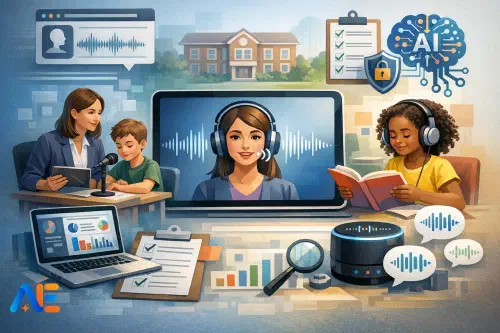
In schools, “Voice AI” usually means three overlapping capabilities: speech-to-text (STT), text-to-speech (TTS), and conversational voice tools that can listen and respond. It may be built into devices, embedded in accessibility software, or offered via a standalone app. The value is not the novelty of talking to a machine; it is the way voice removes friction for pupils who struggle with reading, writing, attention, or confidence.
It also helps to be clear about what Voice AI is not. It is not a replacement for explicit teaching of phonics, vocabulary, or writing. It is not a surveillance tool for constant monitoring of pupils. And it is not “hands-free marking”. If you treat it as a shortcut for teaching, you will get superficial work and new behaviour problems. If you treat it as an inclusion and feedback tool, you can make learning more accessible without lowering expectations. If you are building an inclusion baseline, pair this with your wider accessibility approach, such as a minimum viable inclusion stack.
High-impact use cases
Accessibility
STT can support pupils who can explain ideas orally but struggle to get them onto the page. A practical example is a Year 8 history paragraph: the pupil dictates three sentences, then uses the transcript as a draft to edit for subject vocabulary and evidence. The teacher’s role stays central: model what “editing” looks like and insist on checking facts, punctuation, and tone.
TTS supports pupils who can decode but fatigue quickly, or who need help accessing complex texts. Used well, it becomes “supported reading”, not passive listening. A simple routine is “listen once, read once”: pupils listen to a paragraph with TTS, then read it again silently, highlighting key terms. If your school already has accessibility tools, make Voice AI part of the same organised offer rather than a separate initiative; it should sit alongside other adjustments and not become a special “AI corner”. You may find it useful to align with an accessibility AI update so staff know what is approved and why.
Reading fluency
Voice tools can support fluency practice when they are structured and time-boxed. The trap is letting pupils “perform” into a microphone without clear success criteria. A better approach is short, repeated reading with immediate, low-stakes feedback. For example, a pupil reads a 120-word passage aloud; the tool generates a transcript; the pupil compares it to the original and circles three misread words to practise. You can then re-run the same passage and track improvement. This is especially useful for older pupils who feel self-conscious reading to adults.
If you are already running a reading intervention cycle, voice routines can slot in as a consistent daily element. The key is to keep them brief, predictable, and teacher-checked. For rhythm and structure, you can borrow ideas from broader reading routines such as those in AI-supported reading interventions.
Conversational voice tools can speed up “check for understanding” when you need quick signals, not perfect answers. Imagine a science lesson on particle theory: pupils speak a 20-second explanation into a device; the tool returns a transcript and highlights missing key words. The teacher scans for misconceptions and chooses three examples to address. The transcript is evidence, but it is not the grade.
Voice can also support retrieval practice. Pupils answer short oral questions, then the tool turns responses into a simple tally of correct/incorrect or “needs follow-up”. You still decide what counts as correct and what to reteach.
Routines and admin
Voice can reduce small frictions: drafting parent messages (with careful checking), creating quick lesson reflections, or capturing a teacher’s end-of-lesson notes hands-free. These uses are often the easiest wins, but they must not become a back door for recording pupils unnecessarily. Keep “adult admin voice” separate from “pupil learning voice”.
Classroom and device realities
Most Voice AI problems are not “AI problems”; they are microphone, noise, and workflow problems. Start by deciding whether you want whole-class, small-group, or individual use. Whole-class voice input in a typical room is rarely reliable without specialist kit. Small-group stations and individual headsets are far more predictable.
Microphones matter. Built-in laptop mics are fine for quiet rooms and one speaker, but inconsistent in busy classrooms. A simple wired headset often beats an expensive wireless option because it is robust and reduces background noise. If devices are shared, label headsets and plan hygiene routines. If pupils will speak quietly, choose a headset with a boom mic rather than relying on a tablet mic.
Noise is the other constraint. If your room is lively, create “voice zones”: a corner with soft furnishings, a screen, or a designated table away from the door. Teach the routine explicitly: when voice work starts, other pupils switch to silent reading or independent tasks.
Shared devices introduce account and data issues. Avoid pupils logging into personal accounts on shared kit. Where possible, use managed school accounts, kiosk modes, or apps that do not require individual sign-in. Consider offline or on-device options for sensitive contexts, particularly where connectivity is patchy or where you want to minimise data leaving the device. Your IT team can help you decide what is feasible, but teachers can help by being honest about the room realities rather than designing an idealised workflow.
Safeguarding, consent and data protection
Voice tools can capture recordings, transcripts, and metadata (who spoke, when, where). That makes governance non-negotiable. Begin with transparency: pupils and families should know what is being used, what is captured, and why. Then design for minimisation: collect the least data needed for the learning purpose, keep it for the shortest time, and restrict who can access it.
Recordings are higher risk than transcripts because they are biometric and personally identifying. If you do not need audio saved, turn off audio retention and keep only the transcript, or store nothing beyond the session. If the tool cannot disable retention, treat that as a red flag for pupil use.
Accounts and permissions need tightening. Avoid staff using personal accounts for pupil data. Ensure staff know where transcripts are stored and how to delete them. Retention rules should be explicit: for example, “fluency transcripts are kept for four weeks for progress review, then deleted”. This is also the moment to refresh your AI acceptable use guidance, and to make it readable for busy staff; an AI acceptable use policy refresh checklist can help you cover the common gaps.
Finally, safeguarding is about more than data. Conversational tools can produce inappropriate content, or pupils can use them to generate excuses, insults, or off-task chatter. Set boundaries in plain language, model them, and rehearse what happens when the tool goes wrong. If you already use “traffic light” boundaries for AI, apply the same approach to voice, particularly around assessments and integrity; see traffic light boundaries and scripts for language you can adapt.
A simple evaluation rubric
A teacher-friendly rubric helps you decide what to keep, scale, or stop without endless debate. Use a 1–4 score for each criterion, then add a short comment and an example.
Accuracy asks: does it reliably capture what pupils say, including accents, quiet voices, and subject vocabulary? Inclusion asks: does it reduce barriers without stigmatising pupils or lowering challenge? Workload asks: does it save time overall, or create new checking and troubleshooting? Risk asks: are safeguarding and data protection manageable in your context? Cost asks: is it affordable and predictable, including licences, headsets, and support? Manageability asks: can staff run it calmly in real lessons, with shared devices and cover teachers?
If you want a deeper model for evaluating classroom AI tools, you can adapt the structure from a broader classroom evaluation and rollout deep dive, but keep your voice rubric short enough to use mid-term.
Pilot plan
A sensible pilot is long enough to show patterns, but short enough to stop without sunk-cost pressure. A practical structure is two weeks of set-up, then four weeks of trial.
In the two-week set-up, choose one or two use cases only, such as STT for writing support and TTS for supported reading. Select a small number of classes and a named lead teacher. Standardise the kit: same headset model, same app settings, same storage rules. Write a one-page “how we do voice here” guide and rehearse it with pupils. Confirm consent and parent/carer communications, and ensure staff know what to do if a transcript captures something sensitive.
Discover the power of Automated Education by joining out community of educators who are reclaiming their time whilst enriching their classrooms. With our intuitive platform, you can automate administrative tasks, personalise student learning, and engage with your class like never before.
Don’t let administrative tasks overshadow your passion for teaching. Sign up today and transform your educational environment with Automated Education.
🎓 Register for FREE!
In the four-week trial, capture evidence that matters. That includes a small sample of before/after work, a tally of how often the tool failed, and short pupil voice notes about confidence and independence. It also includes teacher workload notes: how many minutes per lesson did set-up take, and how often did you need to intervene? Your stop/go criteria should be explicit. For example: if accuracy is below an agreed threshold for your pupil group, or if staff cannot run the routine without persistent disruption, you stop. If inclusion and workload scores are strong and risks are contained, you scale carefully.
Ready-to-adopt micro-routines
The most school-ready voice routines are short, repeatable, and easy to supervise. A useful script for STT writing support is: “Speak your idea in one sentence. Stop. Read the transcript. Fix one thing: a capital, a full stop, or a key word.” This keeps the pupil in control and reduces the “dictate a whole essay” problem.
For fluency, try: “Read for 30 seconds. Compare transcript to text. Practise three words. Read again.” Pupils can track improvement without feeling judged, and you can spot patterns quickly.
For formative assessment, keep prompts tight: “Explain in 15 seconds why…”, “Give one example of…”, “What would happen if…”. Then use transcripts as a quick scan, not a permanent record. A simple teacher checklist helps: headset plugged in, correct profile selected, transcript visible, delete after review, and a clear “what good looks like” model on the board.
Common failure modes
Accent bias and dialect variation can lead to inaccurate transcripts. If you see this, do not blame pupils. Adjust mic placement, reduce room noise, add key vocabulary to tool dictionaries where possible, and consider switching tools if the bias persists. Hallucinated transcripts can happen when tools “guess” through noise. Teach pupils to treat transcripts as drafts, and build in a routine of checking against the original task or text.
Over-scaffolding is another risk: pupils may stop practising spelling, sentence control, or decoding if voice does everything. Counter this by setting boundaries, such as “voice for drafting, keyboard for final edit”, or “TTS for first access, independent reading for second pass”.
Behaviour issues often come from unclear routines. If pupils treat voice time as performance time, tighten the structure, shorten the window, and make expectations visible. Sometimes the fix is simply moving voice work to a station with a headset and a timer.
Leadership checklist and parent note
For SLT, DSL, DPO and IT, the implementation questions are predictable: what is the approved tool list; where does data go; who has access; what is retained; how do we delete; what training do staff get; what happens in exams; and what is the escalation route for safeguarding concerns. Align voice tools with your existing AI governance so staff are not juggling competing rules. If you are reviewing procurement and governance, particularly where vendors store audio or transcripts, you may also want a governance lens like this procurement and governance playbook to structure questions for suppliers.
A one-page parent/carer note should be plain and calm: what Voice AI is used for (accessibility, fluency practice, quick checks), what is collected (ideally transcripts only), what is not collected (no continuous recording), how long it is kept, and who to contact with questions. Include reassurance that pupils are taught how to use the tool safely, and that teachers remain responsible for teaching, feedback, and safeguarding.
May your classrooms sound calmer, clearer, and more inclusive.
The Automated Education Team