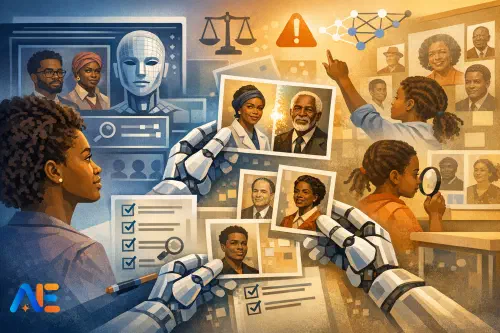
Why errors happen
AI-generated Black History Month resources often look polished at first glance: a poster-ready quote, a neat timeline, a set of “inspirational” biographies, and a handful of images for a corridor display. The problem is that these outputs are built from patterns in training data, not from careful curriculum intent. If the data over-represents certain narratives, the model will too. If the internet repeats a simplified story, the model tends to repeat it with confidence.
In schools, representation errors show up in predictable ways. You might see the same few individuals recycled every year, while local, regional, or less “headline” stories disappear. You might get images that lean on visual shorthand—chains, fists, sepia-toned suffering—rather than showing Black joy, scholarship, family life, science, or ordinary civic leadership. Even when the facts are broadly right, the tone can drift into “uplift” messaging that sounds like a charity leaflet rather than respectful historical study. If you’re also using AI for displays and vocabulary walls, it helps to compare your outputs against inclusive design principles such as those in AI-inclusive classroom displays, then apply a representation lens.
A teacher-friendly definition
For a classroom-friendly audit, bias is not a single thing. It’s a set of patterns that make some people feel centred and others feel “added on”. In Black History Month materials, five patterns are especially common.
Stereotypes are the quickest to spot: visuals or descriptions that reduce Black people to a narrow set of roles, emotions, or aesthetics. Omissions are quieter but often more damaging: who is absent, which fields are missing, and which time periods are skipped. “Default whiteness” is the background setting where whiteness is treated as the neutral norm—so Black people appear only in “Black History Month contexts”, not as scientists, poets, leaders, neighbours, or pupils. Tone matters too: language that is overly dramatic, pitying, or congratulatory can flatten complex histories into a single moral message. Finally, credibility signals are the cues that tell pupils whether something is trustworthy: named sources, dates, uncertainty where appropriate, and clear distinctions between fact, interpretation, and myth.
If you want a structured way to discuss these ideas with pupils across ages, you can borrow discussion protocols from a broader ethics approach such as the AI ethics classroom kit and adapt the language to your setting.
The workflow
A representation audit works best as a repeatable routine, not a one-off “fix”. The sequence below is designed to be quick enough for a busy week, while still being rigorous.
Start with a brief that states your intent in plain language: what pupils should learn, what you want them to feel, and what you want to avoid. Then generate a first draft of images, biographies, and display text. Next comes the challenge pass: you and your pupils interrogate the draft for stereotypes, omissions, default whiteness, tone, and credibility signals. After that, improve the materials with targeted edits and re-prompts. Then cite: add sources and provenance notes so pupils can trace claims. Finally, sign off: a human decision that the final version meets your standards and is appropriate for your community.
The key shift is that AI becomes a drafting partner, not the authority. If you’ve explored “evidence-first” writing routines, the same principle applies here: claims come after sources, not before. The approach in From autocomplete to co-authoring transfers well to biographies and display captions.
Classroom activity set
Spot the pattern
Give pupils a small set of AI-generated images intended for a Black History Month display: for example, “a Black scientist in a lab”, “a Black family in 1950s Britain”, “a Black civil rights leader speaking”, and “a Caribbean carnival scene”. Ask them to work in pairs and annotate what they notice: clothing, setting, facial expressions, lighting, who is centred, and what emotions the image seems to invite.
Then push beyond “is it offensive?” into “is it narrow?” A useful question is: if this image were the only one someone saw all month, what would they assume about Black life? Pupils can then propose replacements: different professions, different ages, different regions, and more everyday contexts. If you have limited devices, print the images and use sticky notes for annotations; the learning is in the noticing, not the technology.
Whose story is missing?
Provide three to five short AI-generated biographies. Include at least one that is “safe” and well-known, and at least one that feels vague or suspiciously inspirational. Pupils complete a simple “story map” in exercise books: who, when, where, what impact, and what evidence. They then identify what is missing: dates, specific achievements, context, and any controversy or debate.
Next, pupils build a “missing list” based on your curriculum and community: local figures, women and girls, disabled Black people, Black people in STEM, Black queer history, and Black histories beyond the Atlantic world. The goal is not to tick every box, but to notice how quickly a “standard set” becomes a ceiling. If your school runs student-led inquiry projects, you can extend this into a mini showcase using structures from KS3–KS4 AI exploration week, even with younger pupils doing simpler research tasks.
Language and tone
Display text is where bias often hides in plain sight. Put two versions of a caption side by side: an AI draft and a revised draft. Ask pupils to underline words that signal pity, drama, or vague praise (“brave”, “inspiring”, “overcame”). Then ask what a historian would want instead: specifics, context, and precise verbs (“organised”, “published”, “led”, “challenged”, “invented”).
Finish with a rewrite task where pupils produce a final caption that is accurate, respectful, and sourced. Encourage them to add one sentence that shows uncertainty honestly when needed, such as “Historians disagree about…” or “Records from this period are limited, so…”.
Discover the power of Automated Education by joining out community of educators who are reclaiming their time whilst enriching their classrooms. With our intuitive platform, you can automate administrative tasks, personalise student learning, and engage with your class like never before.
Don’t let administrative tasks overshadow your passion for teaching. Sign up today and transform your educational environment with Automated Education.
🎓 Register for FREE!
A practical audit checklist
Use this as a printable-style checklist for any display, slide deck, or worksheet. You can run it in five minutes before printing, or as a pupil-led quality check.
- Coverage: Do we show a range of fields (arts, science, politics, community life) and not only struggle narratives?
- Balance: Are women, younger people, elders, and different regions represented meaningfully?
- Specificity: Do biographies include dates, places, and concrete achievements rather than generic praise?
- Default whiteness: Are Black people present only in “Black history” contexts, or also in everyday and academic settings?
- Tone: Does the language avoid pity, sensationalism, and “uplift” clichés?
- Credibility: Are key claims traceable to named sources pupils could check?
- Images: Do visuals avoid caricature, tokenism, and repetitive symbolism?
- Accessibility: Are fonts, contrast, and reading levels appropriate, and are captions clear? (You may find it helpful to align with your wider inclusion approach, such as the accessibility tech consolidation guide.)
- Safeguarding: Could any image or story be distressing without warning or context?
- Sign-off: Has a staff member reviewed the final version, not just the AI output?
Prompt patterns
Better prompts do not guarantee safety, but they reduce predictable failure modes. In practice, the most effective patterns are constraints, counter-examples, specificity, sourcing, and “show your uncertainty”.
Constraints tell the model what to avoid and what variety you require: “Avoid slavery imagery unless explicitly needed for the lesson; include everyday life and achievement.” Counter-examples help it escape clichés: “Not a protest scene; instead show a Black mathematician teaching, with period-accurate materials.” Specificity anchors outputs: names, dates, locations, and the intended age group. Sourcing instructions matter for text: “Include 3–5 credible sources and quote where each key claim comes from.” Finally, “show your uncertainty” reduces overconfidence: “If you are unsure, say so and suggest what to verify.”
If you are working with image generation, it’s worth pairing these prompts with explicit media literacy routines. The workflows and safety notes in One year of Sora: classroom reality check can help you set sensible expectations about what AI images can and cannot represent.
Quality gates
Before anything goes on a wall or into a pupil pack, build in three quality gates. First, sourcing: biographies and claims should be checked against reliable references, ideally including museum, archive, university, or reputable publisher sources. Second, citations: add a short “Sources” line on slides and displays, and keep a staff copy with fuller references. Third, image provenance and copyright: confirm whether the image is AI-generated, licensed stock, or a historical photograph, and record usage rights. When in doubt, choose openly licensed collections or create your own simple visuals.
Then comes the most important gate: human sign-off. AI can draft, pupils can critique, but responsibility sits with the adults in the room. If you already run an annual policy review, consider adding a representation and provenance section to your routine, building on an acceptable use policy refresh checklist.
Run it in a week
A one-week model keeps momentum without overwhelming anyone. Early in the week, you generate a draft pack: three images, three biographies, and a set of captions. Midweek is the challenge pass: pupils run the three activities, annotate issues, and propose improvements. Later in the week, small groups take roles: one group checks sources, another rewrites captions, another proposes alternative image briefs, and another checks accessibility and layout. If devices are limited, rotate a single computer station for generation and fact-checking, while most pupils work on printed drafts and handwritten rewrites.
End the week with a “final version” reveal where pupils explain what changed and why. This turns representation into a teachable process rather than a teacher-only correction behind the scenes.
Share with pupils and families
A short transparency note builds trust. On the display or in a newsletter, explain that AI was used to draft some materials, that pupils audited them for bias and accuracy, and that staff checked sources and suitability. Keep the tone calm and practical: this is about learning how modern media is made, not about celebrating a tool.
Set respectful discussion norms explicitly, especially if pupils raise sensitive issues. Remind everyone to critique the material, not each other; to avoid turning any pupil into a spokesperson; and to prioritise accuracy and dignity. When pupils learn that “polished” does not always mean “true” or “fair”, they gain a transferable critical skill that reaches far beyond Black History Month.
May your classrooms be filled with careful questions and better stories.
The Automated Education Team