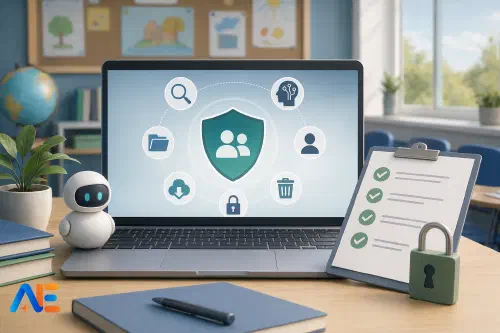
End of term creates a rare administrative window. Reports are nearly finished, classes are winding down, and teams finally have a moment to look beyond the next lesson. That makes it an ideal time for an AI privacy audit. If your school has spent the year experimenting with chatbots, feedback tools, planning assistants or transcription platforms, there is almost certainly data sitting in more places than anyone first intended. A short, structured review now can prevent a much larger problem in January.
This is not just a technical exercise for IT. It is a leadership, safeguarding and operations task. In many schools, AI use has grown faster than formal oversight. A teacher may have tried one tool for report comments, a department may have used another for resource creation, and a pastoral lead may have pasted sensitive case notes into a meeting assistant without thinking through retention settings. If you are also reviewing wider year-end processes, our piece on an AI end-of-term operating system complements this audit.
Why now
End of term is the right moment because usage patterns are fresh, but the pressure is lower. Staff can still remember which tools they used and why. Accounts for leavers can still be checked before they disappear into holiday silence. Shared drives, browser bookmarks and saved prompts can still be reviewed while people are contactable. Most importantly, there is still time to export or delete material before contract renewals, account closures or policy changes alter what can be recovered.
This timing matters because AI services do change. Features move behind paywalls, settings are reset, and histories can vanish after consent or policy updates. Schools often assume that if content was visible last week, it will remain visible next month. That assumption is risky.
The cautionary tale
One useful warning sign is disappearing chat history after consent changes. Many AI systems now separate core access from optional data uses, such as model training, memory or chat history. When a user changes consent, switches workspace, loses a licence, or moves between personal and organisational access, previous conversations may become harder to find or may no longer appear where expected. Sometimes the content is deleted; sometimes it is simply no longer available to that user in the same way. Either outcome is a governance issue.
For schools, the lesson is simple: never treat an AI chat log as a stable record unless you have explicitly confirmed retention, export and ownership arrangements. If staff have used AI to draft reports, summarise meetings, analyse behaviour patterns or support SEND paperwork, you need to know whether those records still exist, where they sit, and whether they should exist at all. This is especially important if your teams have been comparing mainstream tools with different memory and history models, as discussed in our article on extended AI workflows and governance.
Start with reality, not policy. Ask what staff and pupils have actually used. Your approved tools list may say one thing, but browser history, invoices and staff habits may say another. Include whole-school platforms, department trials, free personal accounts, browser extensions, note-taking tools with AI features, meeting assistants, image generators and any AI built into existing suites.
A short survey works well here. Ask staff which tools they used this term, what purpose each served, whether they logged in with a school account or personal email, and whether any pupil data was entered. Keep the questions plain. You are not trying to catch people out. You are trying to map the estate honestly.
Pupil use matters too. If learners have used AI through school-managed platforms, that is straightforward to review. If they have used external tools for homework or revision, your audit should at least note where school data may have been copied beyond your environment. This is a good point to compare findings with your AI acceptable use policy refresh so that practice and policy line up.
Map data and ownership
Once you have the tool list, map what data sits in each one and who owns the account. This step is where many schools uncover the real risk. A harmless-looking planning assistant may contain class lists in uploaded spreadsheets. A report-writing helper may hold named pupil comments. A meeting summariser may contain confidential staff discussions. A chatbot used for administration may include parent email drafts with personal details.
For each tool, record four basics: what data went in, who put it there, which account was used, and who can now access it. The account question is often the most important. If a head of department used a personal login to process school information, the school may have little visibility or control if that colleague leaves. If a shared account was used, the problem may be the opposite: too many people may still have access.
This is also the point at which to distinguish between ordinary school information and high-risk content. Names, contact details, assessment notes, safeguarding references, medical details, behaviour records and HR material should all trigger closer review.
Check settings carefully
Now examine retention, training, history and export settings. Do not assume defaults are safe. Some tools keep chats indefinitely unless they are deleted. Some allow administrators to turn off training use. Some offer export, but only to the original user. Some keep uploaded files after the visible chat has gone. Others provide admin logs but no easy content export.
Read the supplier settings page and test the process with one account. Can you export a conversation? Can you delete it fully? Is deletion immediate or delayed? Are there separate controls for chat history, memory and model improvement? If the tool sits inside a larger ecosystem, such as Google or Microsoft, check tenant-level controls as well as user-level ones. Our guides to Google Workspace AI admin controls and Microsoft’s school governance rollout may help here.
Delete or move risk
At this stage, identify high-risk content that should be deleted or moved into a proper school record system. AI platforms are not document management systems. If something needs to be retained for accountability, continuity or compliance, it should usually be exported and stored in the right place, not left inside a chat thread.
Typical examples include report comment banks, meeting summaries that informed decisions, curriculum materials that need departmental ownership, and any output later used in formal communication. If the content has no legitimate reason to remain, delete it. If it needs to stay, move it into a governed environment with clear permissions and retention rules.
Discover the power of Automated Education by joining out community of educators who are reclaiming their time whilst enriching their classrooms. With our intuitive platform, you can automate administrative tasks, personalise student learning, and engage with your class like never before.
Don’t let administrative tasks overshadow your passion for teaching. Sign up today and transform your educational environment with Automated Education.
🎓 Register for FREE!
Review access
Next, review admin controls, leavers, shared accounts and holiday access. This is where the end-of-term timing pays off. Before the site closes, confirm who will still be able to access each tool over the break and who should not. Remove staff who are leaving. Check whether temporary licences can be reclaimed. Review whether shared logins exist and replace them with named accounts where possible.
Holiday governance often gets overlooked. If an urgent issue appears in late July, who can log in, export records or disable access? If a supplier notifies you of a settings change, who receives the alert? If a senior leader used a personal account and is unavailable, can anyone else reach the data? A one-page escalation route is usually enough, but it needs to exist.
Confirm documents
Now turn to supplier documents. For each tool still in use, confirm whether you have the right privacy notice information, data processing terms, approval status and internal record of decision-making. If a tool has drifted into regular use without formal sign-off, mark it clearly and decide whether to approve, restrict or stop it.
This review does not need to become a legal dissertation. It does need to be organised. Can you point to the supplier’s terms, privacy documentation, processing basis and your own internal approval note? If not, the risk is not just technical. It is procedural. Schools building a more mature approach may also find value in our procurement and governance playbook.
Build a RAG table
Before the site closes, turn your findings into a simple red-amber-green action table. Keep it practical. A green tool is approved, school-managed, low-risk and properly configured. An amber tool may be useful but needs settings changes, documentation or account clean-up. A red tool should be paused, deleted or replaced because the data risk is too high or governance is too weak.
One page is enough if the categories are clear. Include the tool name, owner, data type, account type, current status, immediate action and deadline. This becomes your holiday handover note for SLT, IT, the DPO and department leads. It also prevents the classic January problem in which everyone remembers there was a concern, but nobody remembers which one.
Make January easier
The best audit is the one that becomes easier next time. In January, tighten the process so that fewer surprises build up across the term. Standardise approved tools. Require school accounts rather than personal logins. Publish a short data-handling guide for AI use. Add retention and export checks to your approval template. Make department leads responsible for declaring new tools early, not retrospectively.
It also helps to design for privacy by default. A smaller, safer toolkit is easier to govern than a sprawling one. If you are planning a cleaner relaunch after the holidays, our article on a minimum viable back-to-school AI toolkit offers a sensible starting point.
An end-of-term AI privacy audit is not about slowing innovation down. It is about making sure useful experimentation does not leave hidden data risks behind. When you know what tools were used, what data sits inside them, who controls the accounts, and how records can be exported or deleted, you can start the new term with confidence rather than uncertainty.
Here’s to a calmer January and cleaner systems across your school.
The Automated Education Team